
The app for clients
Your appointments, always at hand
Find your specialist, see free times and book in seconds. Reminders arrive on your phone, and every appointment is in one place.

Scan with your phoneOpen the camera and scan the code: it takes you straight to the App Store or Google Play.
Are you a specialist? Your app is Nuvio Pro.
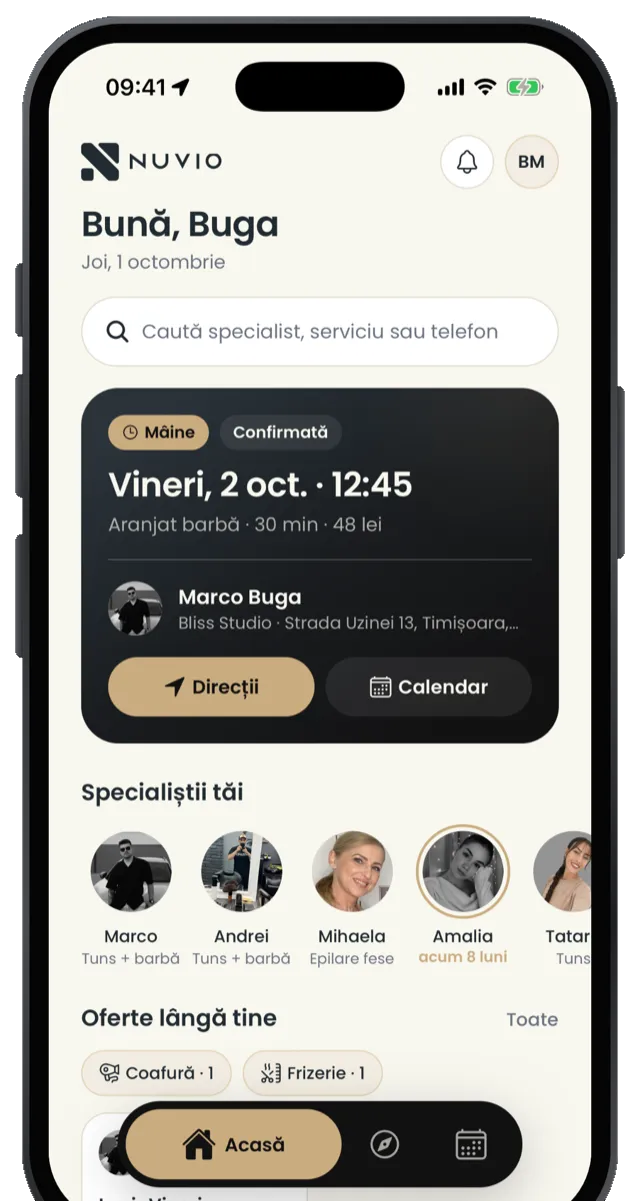
Why the app
Everything you had on the website, plus what a browser can't do.
-
More reminders on your phone
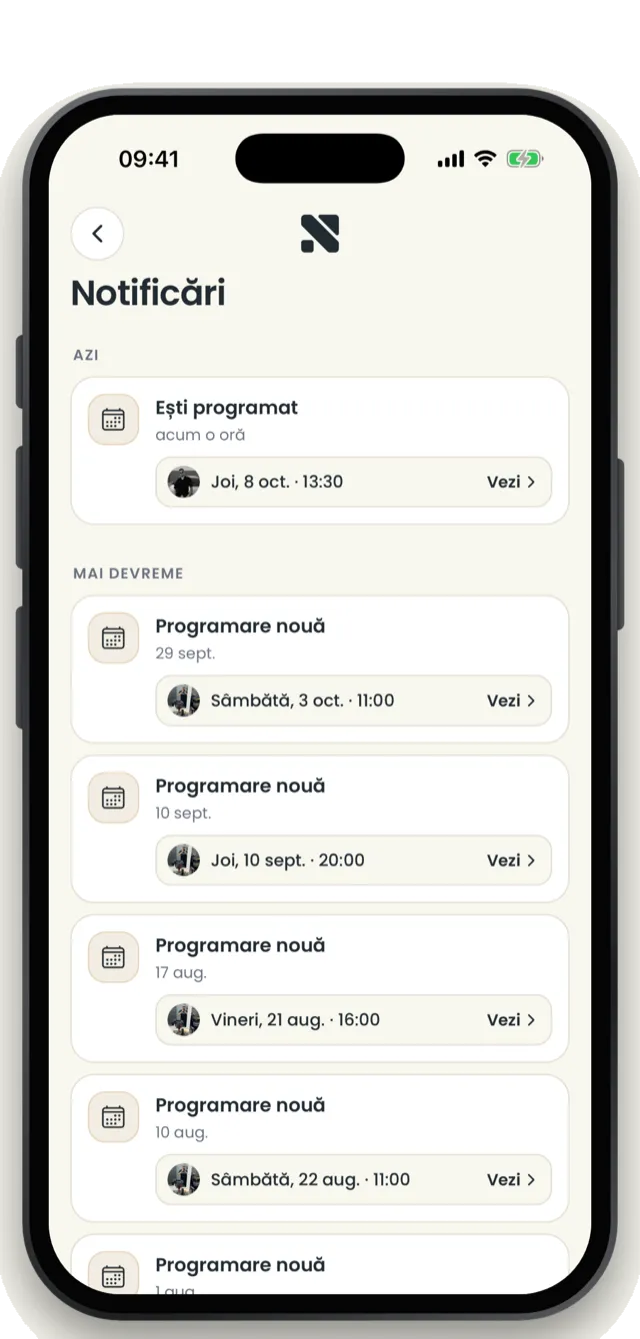
When your specialist sends reminders, you get them on your phone, plus one more 30 minutes before.
-
Waiting list
Day fully booked? Join the list and we'll tell you when a spot opens up.
-
Stay signed in
Sign in once, with your phone number. No code every time you book.
-
Book again in one tap
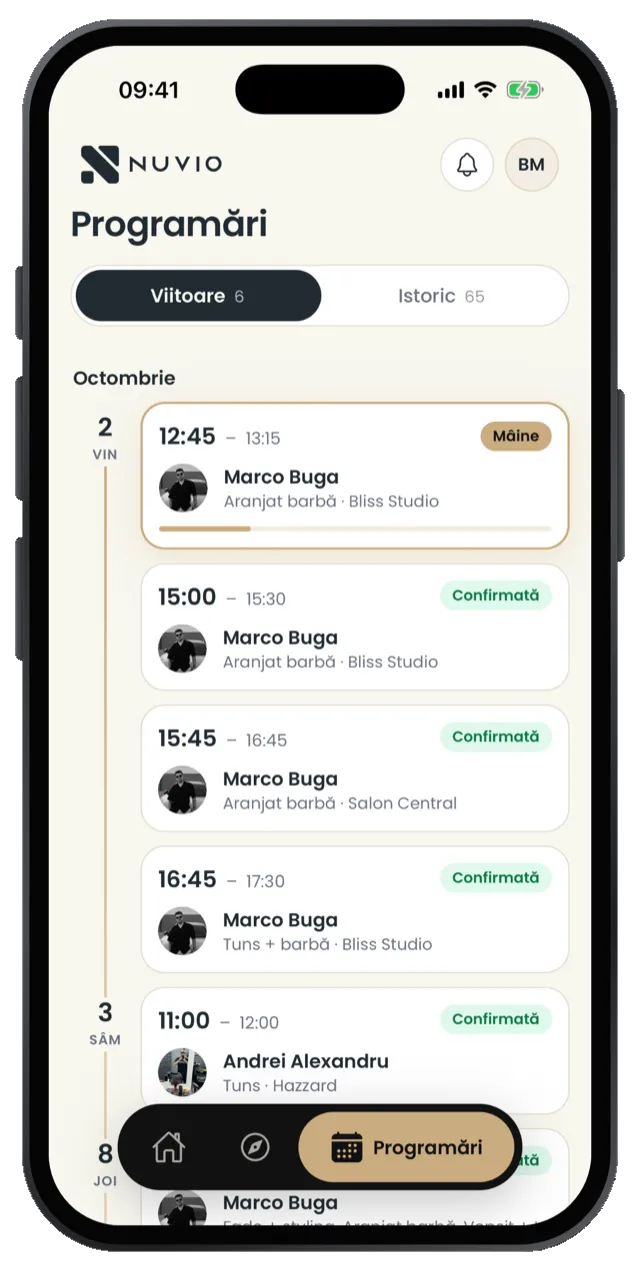
All your appointments, with every specialist, upcoming and past, in one place.
How it works
Three steps, from search to reminder.
-
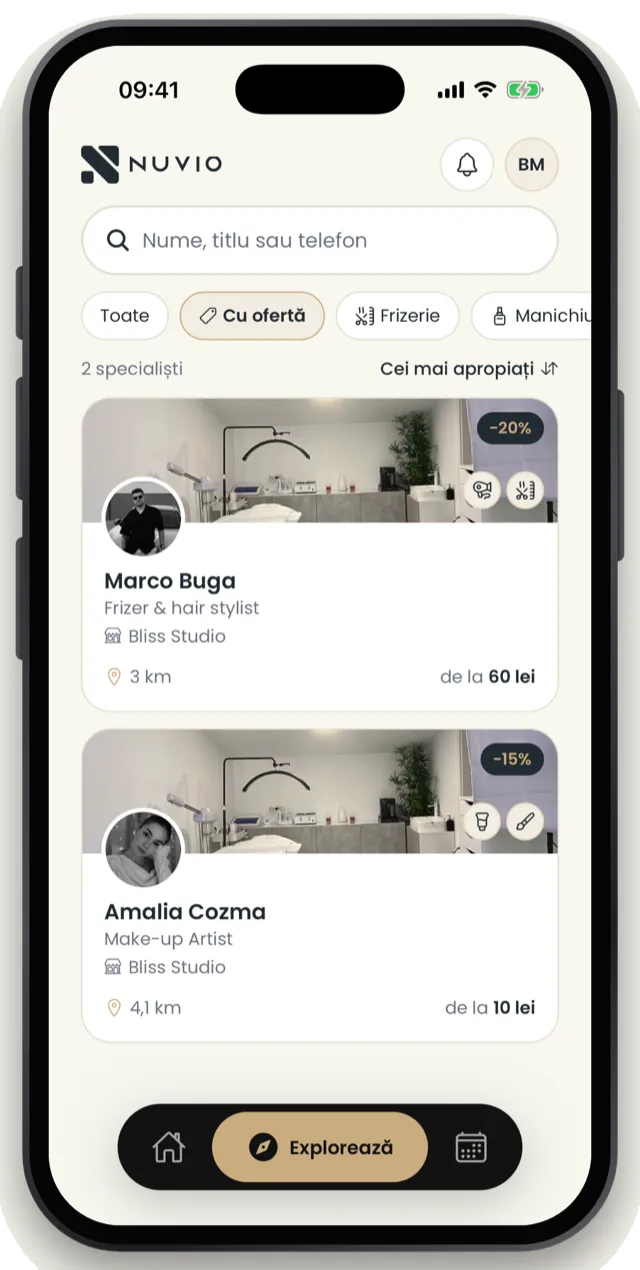
Find your specialist
Search by name, by field or even by phone number. See services, prices and offers.
-
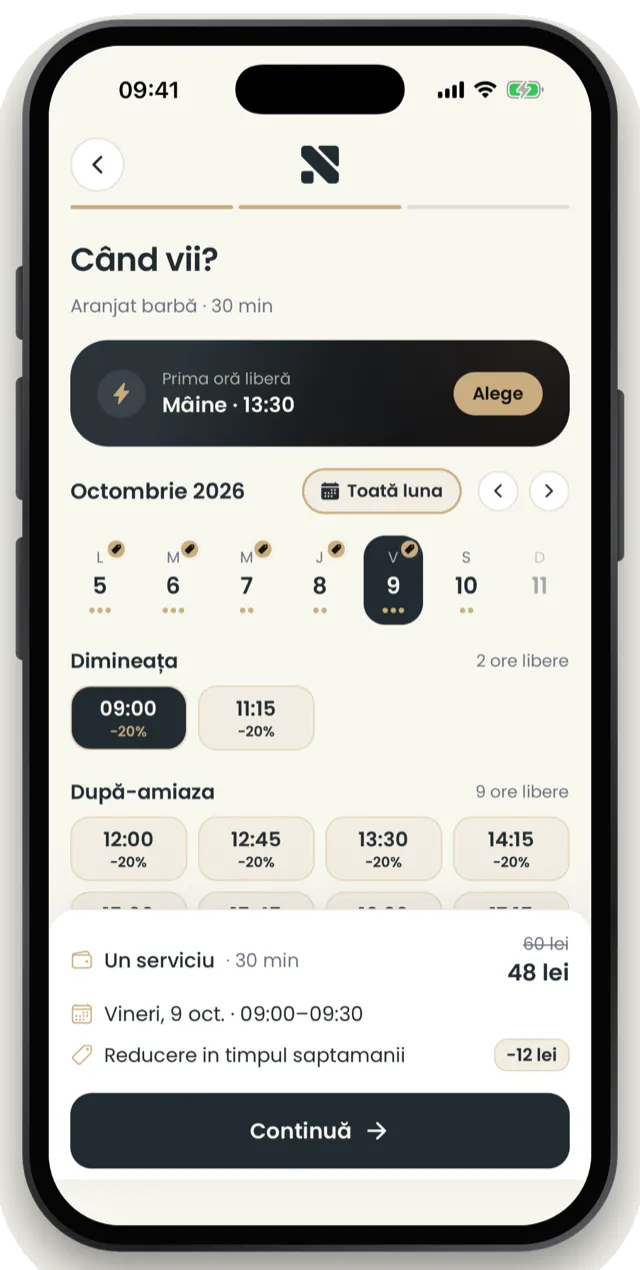
Pick a free time
See free days and times, slide to confirm. Discounts apply on their own.
-
Get the reminder
The confirmation, the reminder and any change from your specialist arrive on your phone.
Your specialist isn't on Nuvio yet?
Tell them about Nuvio Pro: online bookings, clients and reminders, in one app.
Questions
Questions about the app.
Is it the same account as on the website?
Yes. Sign in with the same phone number you book with on the website and your appointments are there.
Will I still get WhatsApp messages?
With the app, messages about your appointments arrive as notifications on your phone. If notifications are off, you get them as before.
How do I cancel an appointment?
In the app, under Appointments: open the visit and cancel it. You can cancel more than 24 hours ahead or within 30 minutes of booking; the app shows you exactly until when.
Do I need an e-mail or a password?
No. You sign up with your phone number and a code. No password, no e-mail.
Does it cost anything?
No. The app has no subscription, no in-app purchases and no ads.
How do I delete my account?
In the app: Profile, then "Delete account". Or on the Delete account page.
Your appointments, in one app.
For iPhone and Android. Sign in with your phone number.