
Business: money
The team's reports, money and profit, monthly statements, expenses, payments through Nuvio and paid plans.
The app screens shown here are in Romanian; each button's Romanian name follows it in brackets.
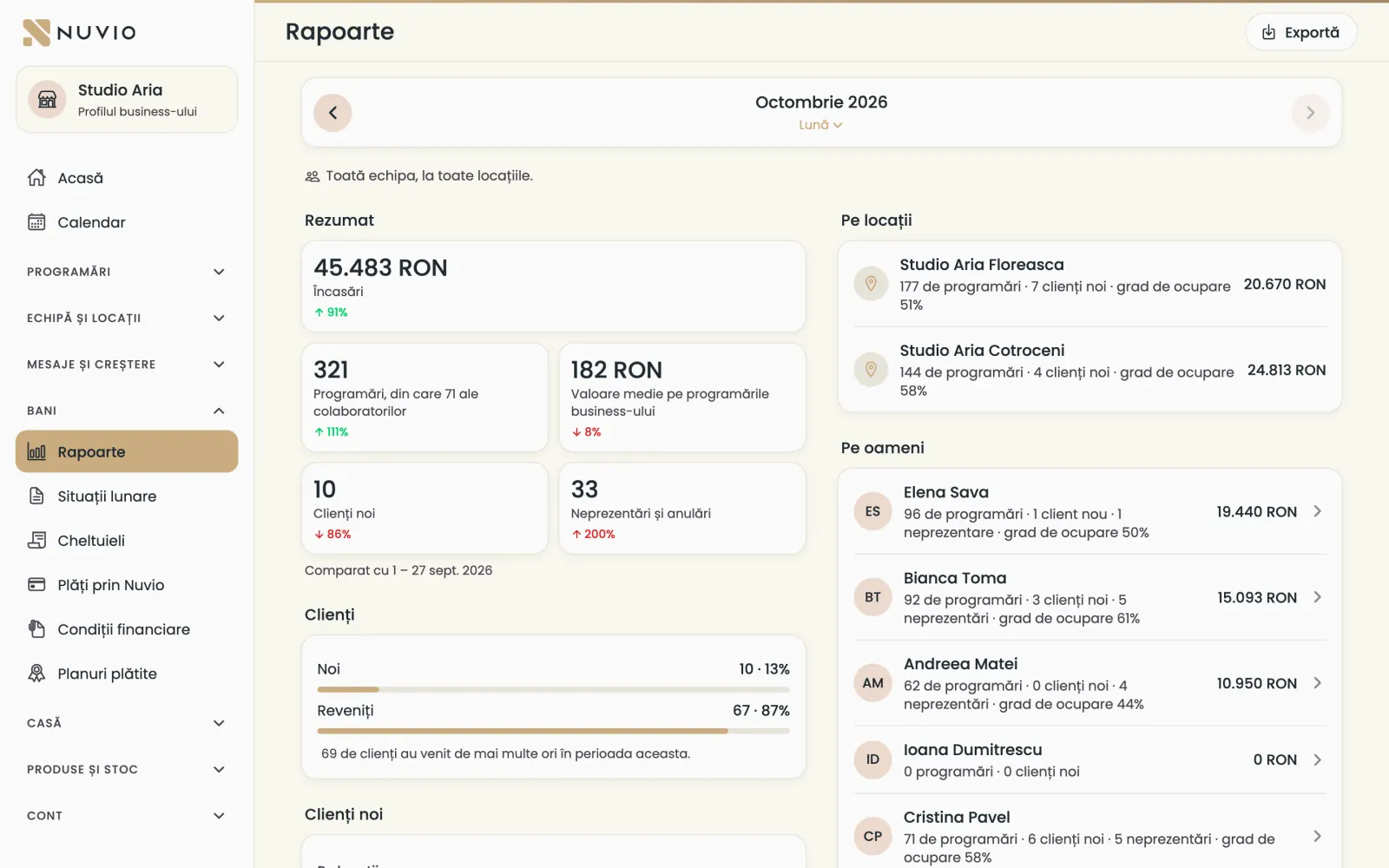
The business's reports
The whole team's takings, bookings, new clients and no-shows, compared with the period before.
Where to find it:Money (Bani)Reports (Rapoarte)
- Open Reports (Rapoarte).
- Choose the period and the location.
- See the Summary (Rezumat), then each person in the team.
- For money and profit open Money and profit (Bani și profit).
- Money and profit (Bani și profit)
- The business's takings, money from the team, payments to the team, expenses and profit.
- Till takings (Încasări la casă)
- What was taken at the location's till, in cash and by card.
Nuvio only keeps the records; the money doesn't pass through the app.
Takings by person
How much each person took at the till, in cash, by card and by transfer.
Where to find it:Money (Bani)Till takings (Încasări la casă)By person (Pe persoane)
Under By person (Pe persoane) you see takings by who charged the payment, not by who did the service.
You also find them in Close the day.
The team AI report
At the start of each month you get a written summary of last month, by person and location.
Where to find it:Money (Bani)Team AI report (Raport AI al echipei)
The first report comes at the start of the next month, after a month with at least 5 bookings.
You get a notification when the report is ready.
Monthly statements
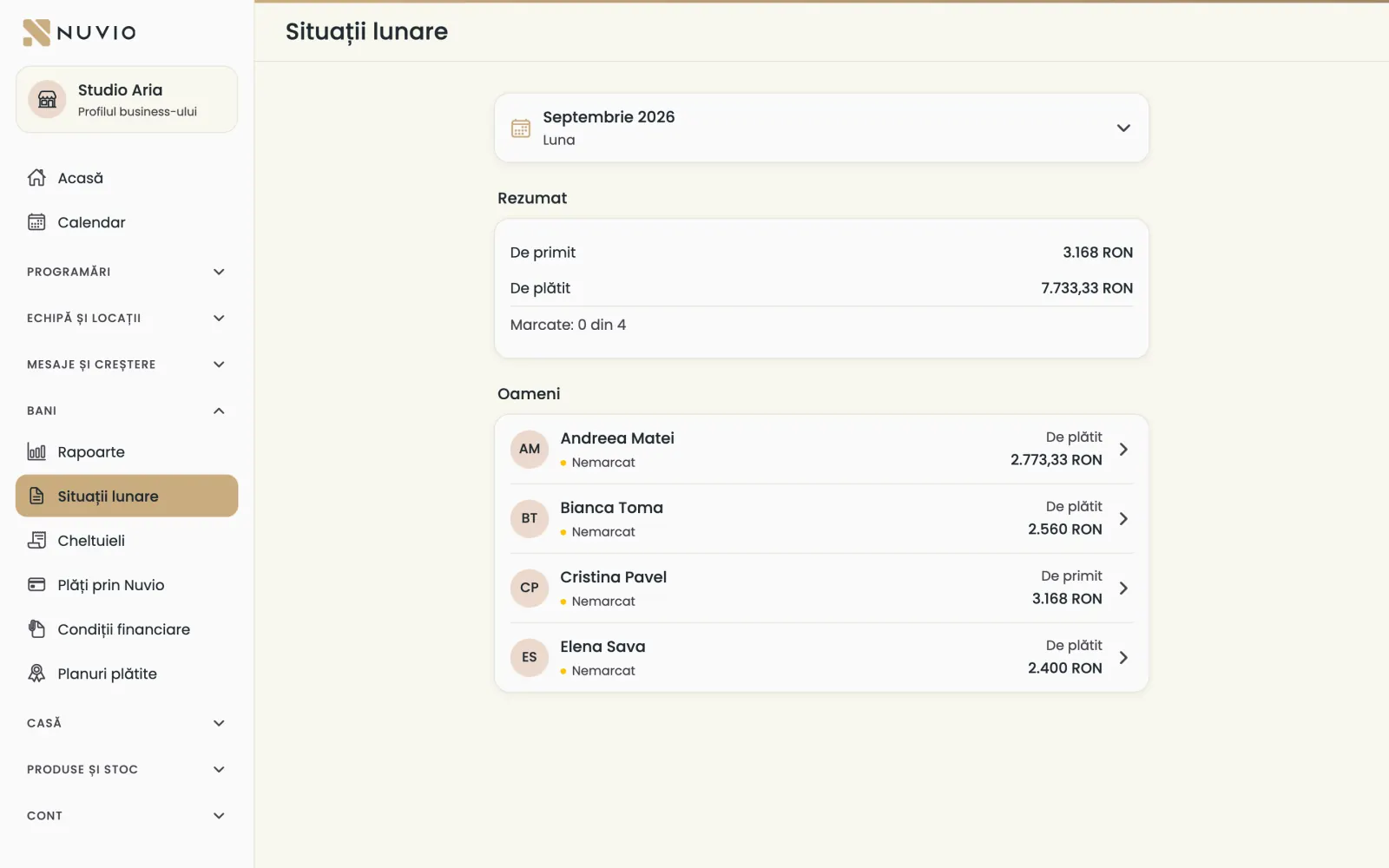
For each person with money terms, what they have to receive or pay for last month.
Where to find it:Money (Bani)Monthly statements (Situații lunare)
- Open Monthly statements (Situații lunare) and choose the month.
- Tap a person to see the calculation.
- Add corrections if needed and save them.
- When the money has been paid, tap Mark as paid (Marchează ca plătit).
Statements are made on the 1st of the month and sent to people on the 5th; Generate now (Generează acum) makes them sooner.
The business's expenses
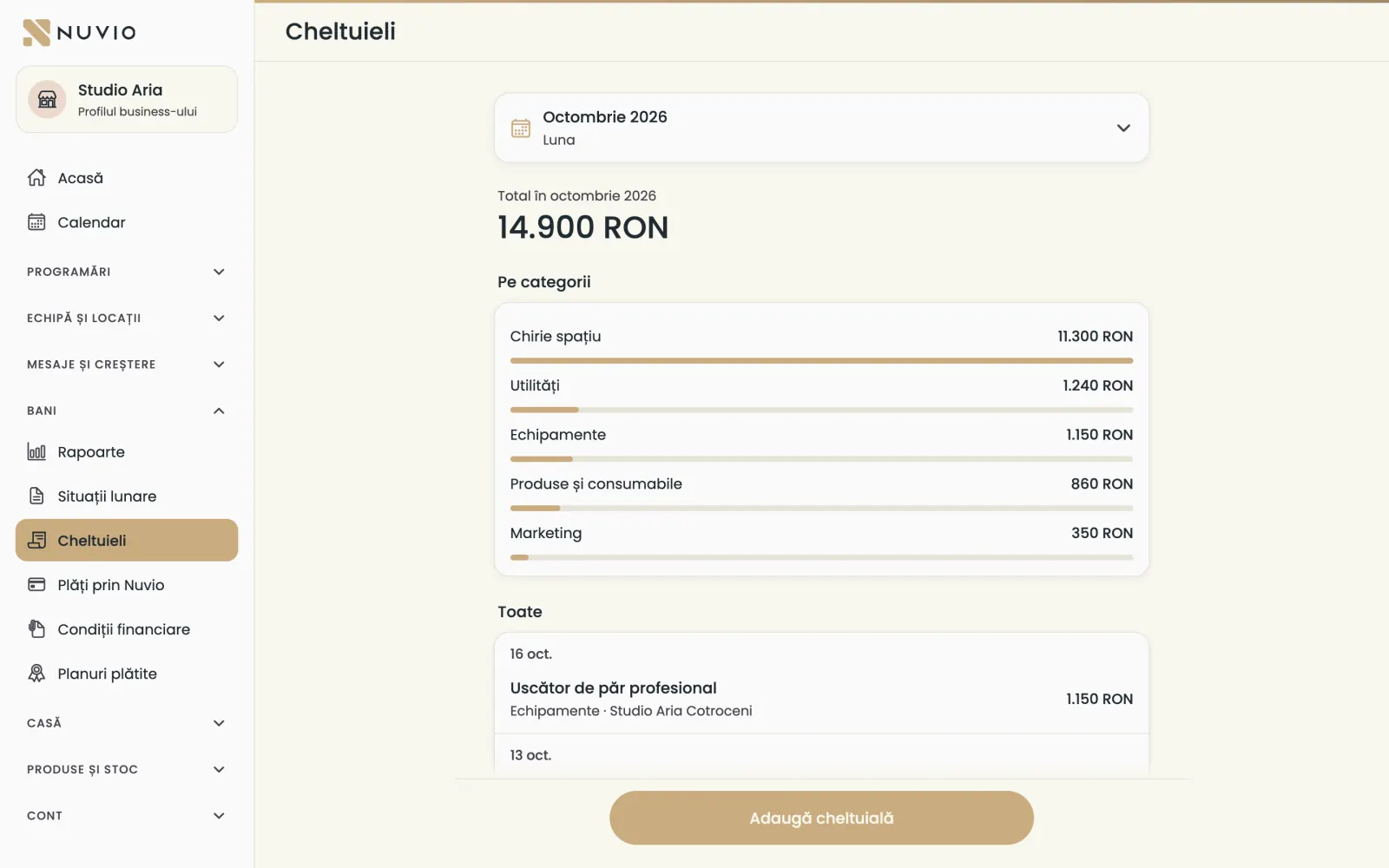
Rent, utilities, products and the business's other expenses, by location and category.
Where to find it:Money (Bani)Expenses (Cheltuieli)
- Open Expenses (Cheltuieli) and tap Add expense (Adaugă cheltuială).
- Type the name, amount and date, and choose the category and location.
- Turn on Repeats monthly (Se repetă lunar) for rent or subscriptions.
- Save.
The business's expenses are separate from your own expenses as a specialist.
Payments through Nuvio for a business
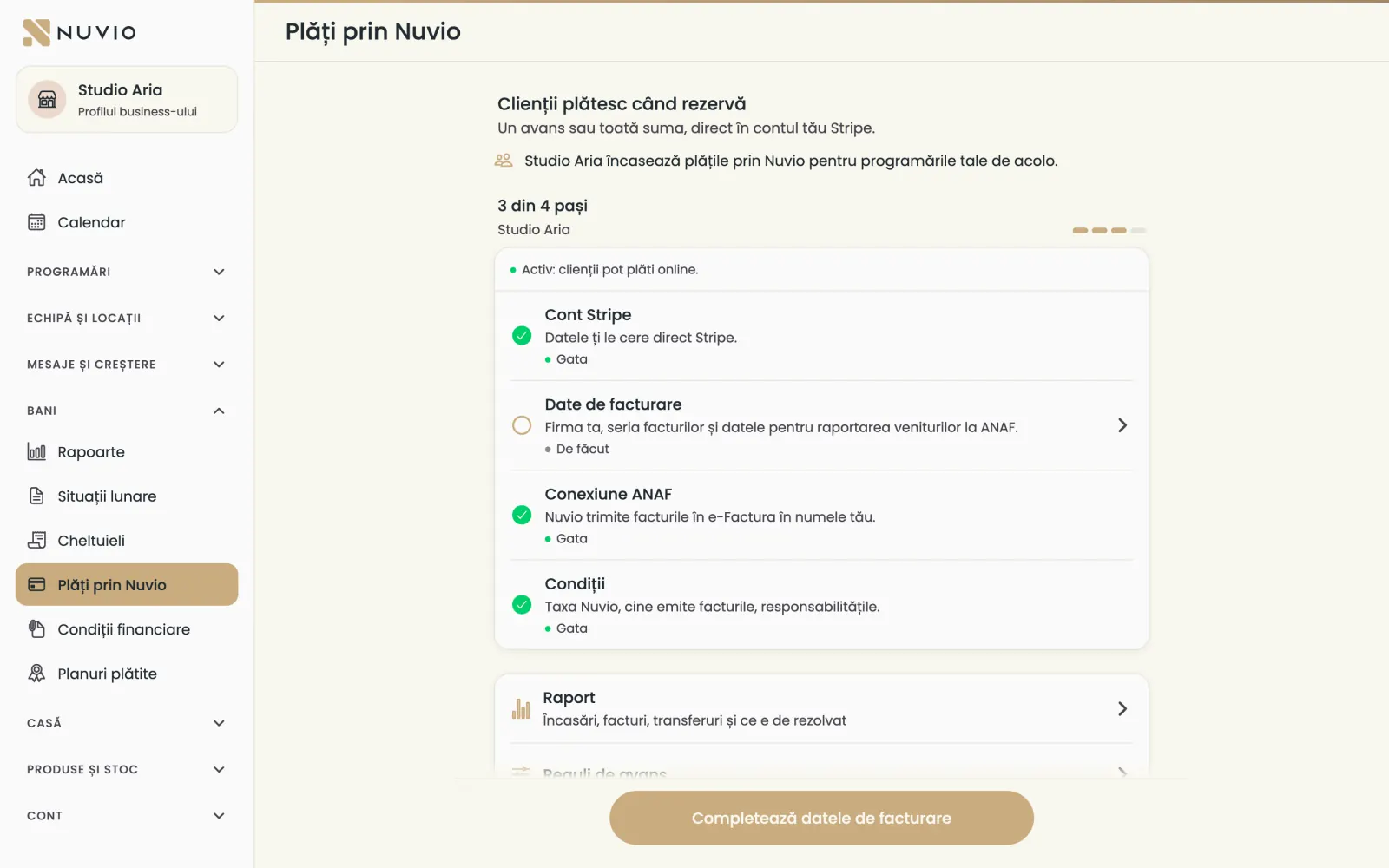
Clients pay the deposit or the full amount online, and the money goes into the business's account.
Where to find it:Money (Bani)Payments through Nuvio (Plăți prin Nuvio)
- Open Payments through Nuvio (Plăți prin Nuvio).
- Do the steps one by one: the Stripe account, the billing details, the ANAF connection and the terms.
- Set the deposit on each location, under Location deposit (Avansul locației).
For each person you choose who collects: the business or the specialist, under Who collects payments through Nuvio (Cine încasează plățile prin Nuvio).
The detailed steps are in Payments through Nuvio.
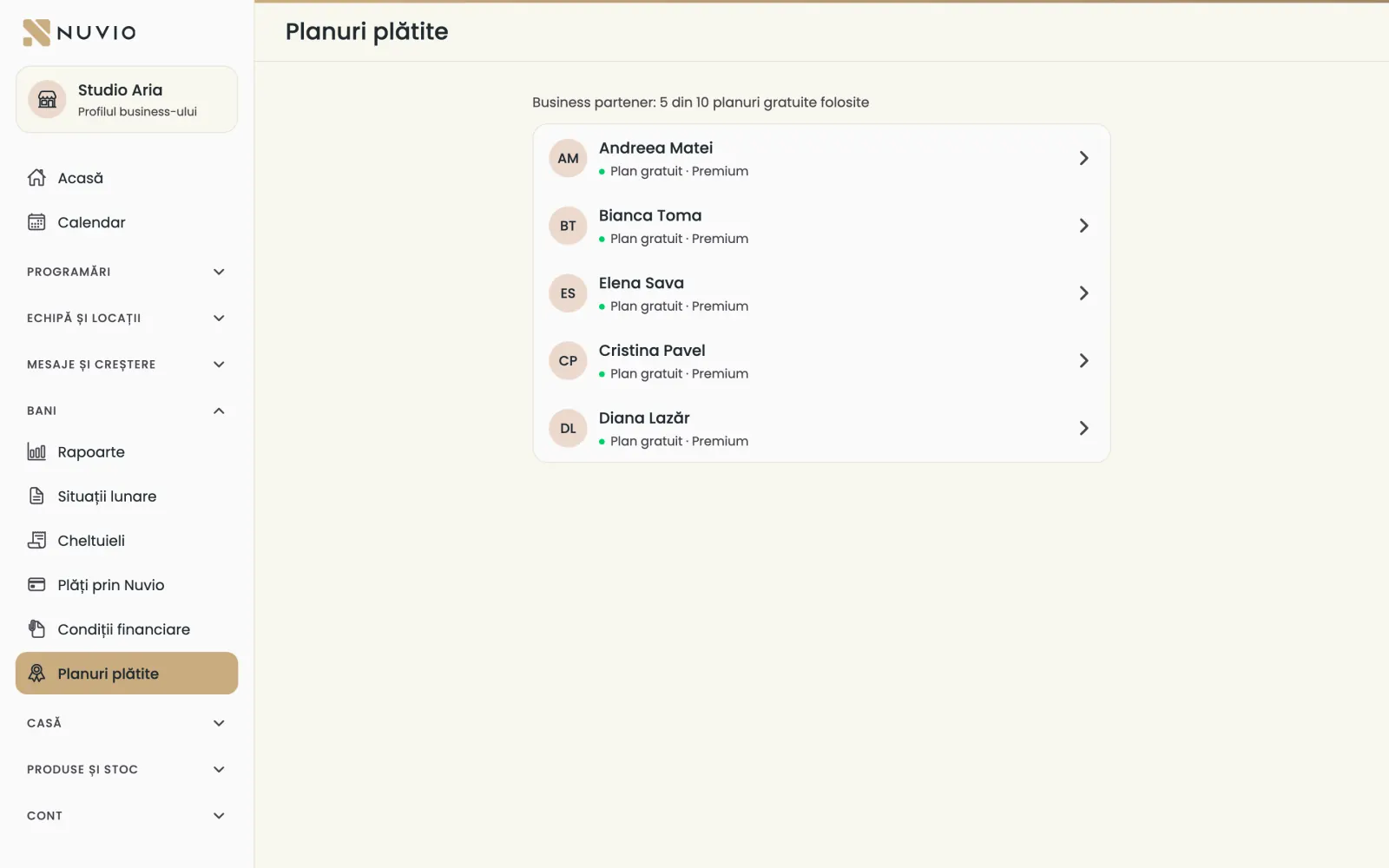
Plans paid by the business
The business can pay the Nuvio plan of team members; in the app you only see their status.
Where to find it:Money (Bani)Paid plans (Planuri plătite)
Under Paid plans (Planuri plătite) you see each person's plan and who pays it.
- When you invite someone, you choose who pays the plan.
- The plan starts once you confirm it on pro.nuvio.ro, in the team plans.
- You pay with the company card; the invoice goes to the business's tax ID.
A partner business has a number of free plans agreed with Nuvio.
For a large team we can agree a fixed monthly price; write to us on WhatsApp.
Your statements, as a specialist
If you work on commission or rent a chair, each month you see what you receive from or pay the business.
Where to find it:Settings (Setări)Statements from a business (Situații de la business)
- In Specialist mode, open Settings (Setări) and tap Statements from a business (Situații de la business).
- Tap a month to see the calculation.
The first statement comes on the 5th of the month after the business sets your terms.
Export the reports
Download the business's reports as a file, for Excel or your accountant.
Where to find it:Money (Bani)Reports (Rapoarte)Export (Exportă)
- In Reports (Rapoarte) or Money and profit (Bani și profit), tap Export (Exportă).
- Open the downloaded file.
Updated on
Help
If the answer is not here, write to us on WhatsApp or by e-mail.