
Campaigns
Messages to inactive clients, on their birthday or to a group, and how they did.
The app screens shown here are in Romanian; each button's Romanian name follows it in brackets.
Inactive clients
An offer that goes out by itself to clients who have not come for a while.
Where to find it:Settings (Setări)Campaigns (Campanii)Inactive clients (Clienți inactivi)
- Open Settings and tap Campaigns (Campanii).
- Under Automatic (Automate), turn on Inactive clients (Clienți inactivi).
- Tap the row to choose after how many days the offer goes out and the discount.
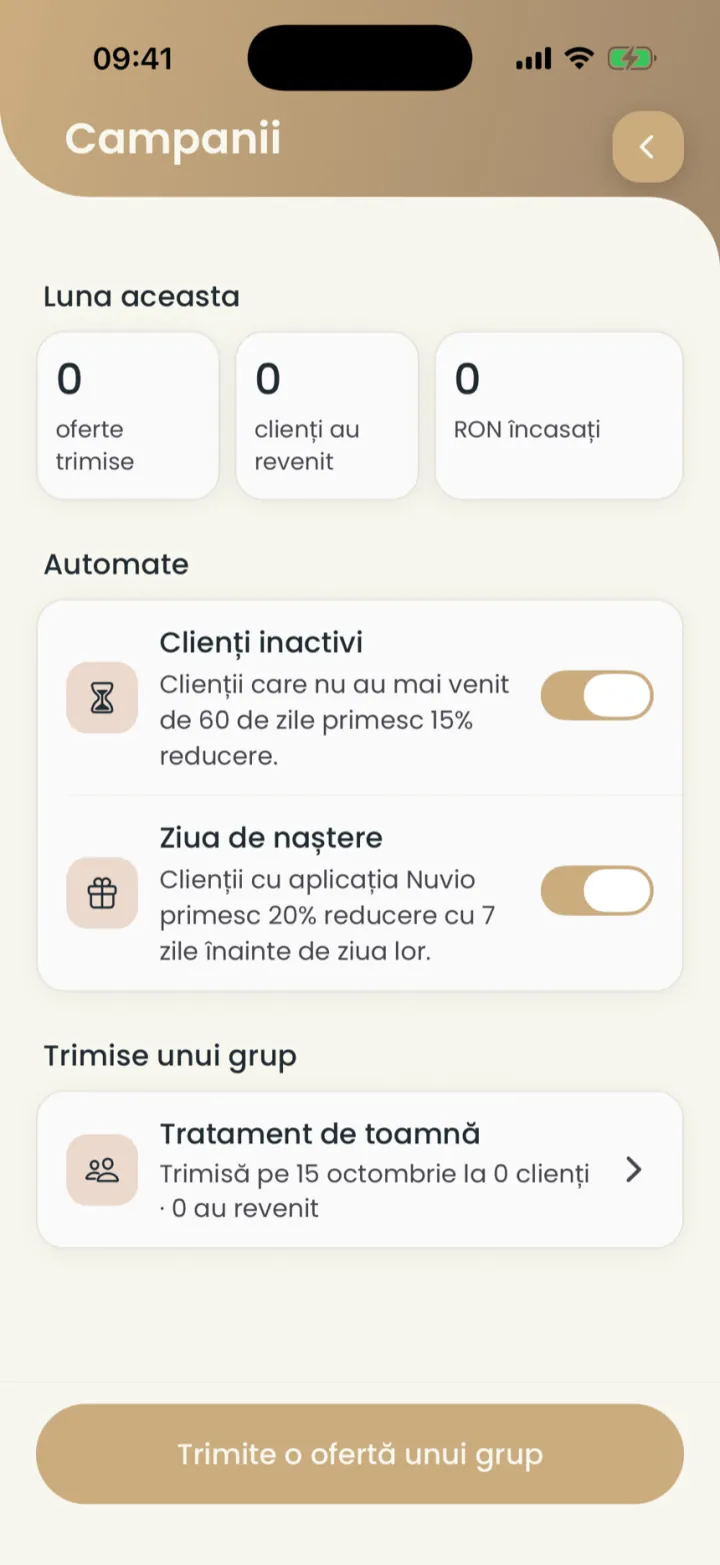
By default it goes to clients who have not come for 60 days.
Birthday
An offer that goes out by itself a few days before the client's birthday.
Where to find it:Settings (Setări)Campaigns (Campanii)Birthday (Ziua de naștere)
- In Campaigns (Campanii), under Automatic (Automate), turn on Birthday (Ziua de naștere).
- Tap the row to choose the discount and how many days before it goes out.
It only reaches clients with the Nuvio app who added their birth date.
An offer for a group
You send an offer once to clients chosen by service and visits.
Where to find it:Settings (Setări)Campaigns (Campanii)Send an offer to a group (Trimite o ofertă unui grup)
- In Campaigns (Campanii) tap Send an offer to a group (Trimite o ofertă unui grup).
- Pick the clients: for which service they came, when and how often.
- At the bottom you see how many clients the offer reaches, then tap Next (Mai departe).
- Pick the discount, the message and how long the offer lasts.
- Send the offer.
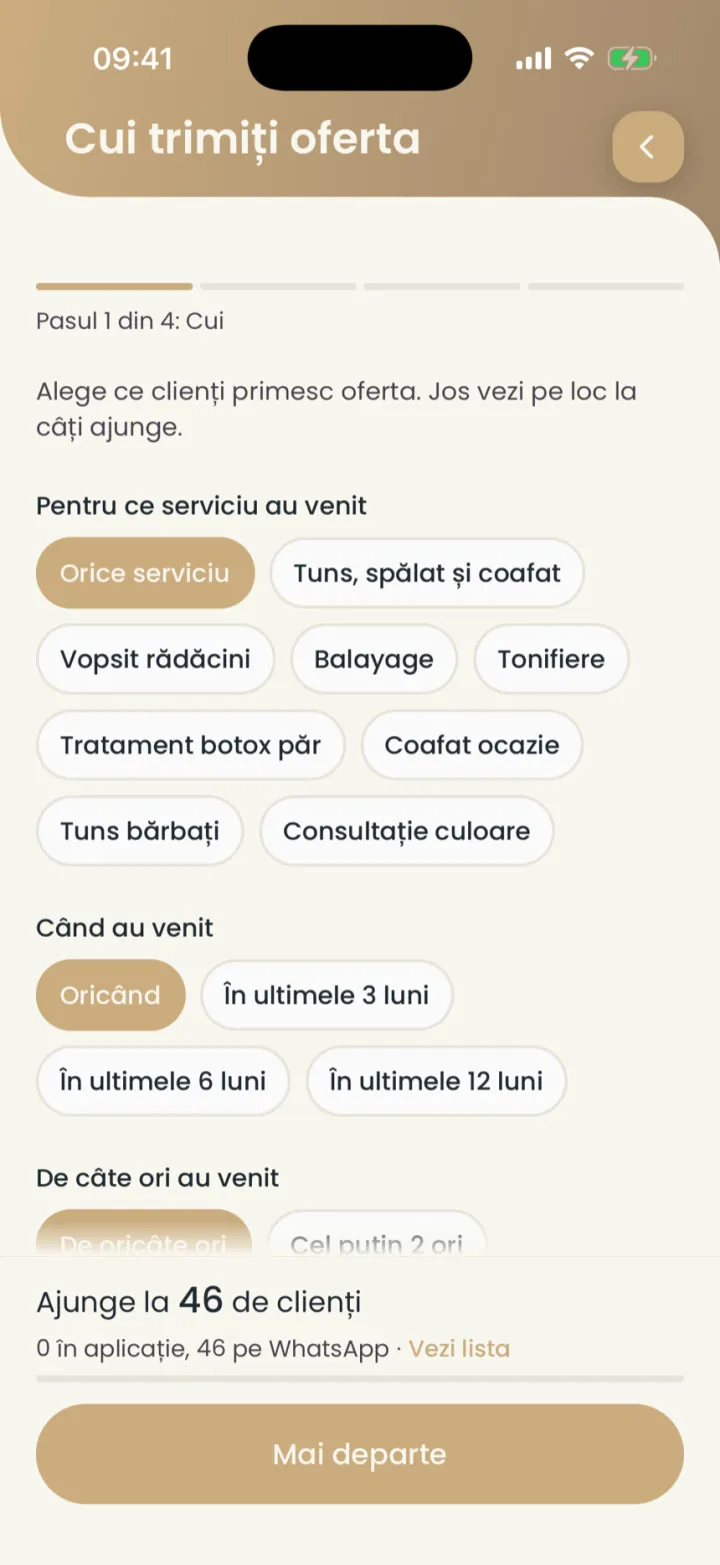
An offer for one client you send from their card, with Send an offer (Trimite o ofertă).
How the offer reaches clients
Clients with the app get a notification, the others a WhatsApp message you send.
- With the Nuvio app
- They get a notification and see the offer in the app.
- Without the app
- The offer shows under To send on WhatsApp (De trimis pe WhatsApp), with a ready message.
Send the offers on WhatsApp
The message goes from your WhatsApp, with the offer and the booking link.
Where to find it:Settings (Setări)Campaigns (Campanii)To send on WhatsApp (De trimis pe WhatsApp)
- In Campaigns (Campanii) open To send on WhatsApp (De trimis pe WhatsApp).
- On each client tap Send (Trimite).
- WhatsApp opens with the message written and you send it.
Unsent messages disappear after 7 days.
Results
You see how many offers went out, how many clients came back and how much you collected.
Where to find it:Settings (Setări)Campaigns (Campanii)
At the top, under This month (Luna aceasta), you see the offers sent, the clients who came back and the amount collected. Tap a campaign to see its results.
A client turns offers off
Any client can turn off offers from you, in the app or from the message.
From then on, campaigns skip them. Reminders about their appointments keep coming.
Updated on
Help
If the answer is not here, write to us on WhatsApp or by e-mail.