
New clients and recommendations
The Bring a friend programme and the list of referrals from your clients.
The app screens shown here are in Romanian; each button's Romanian name follows it in brackets.
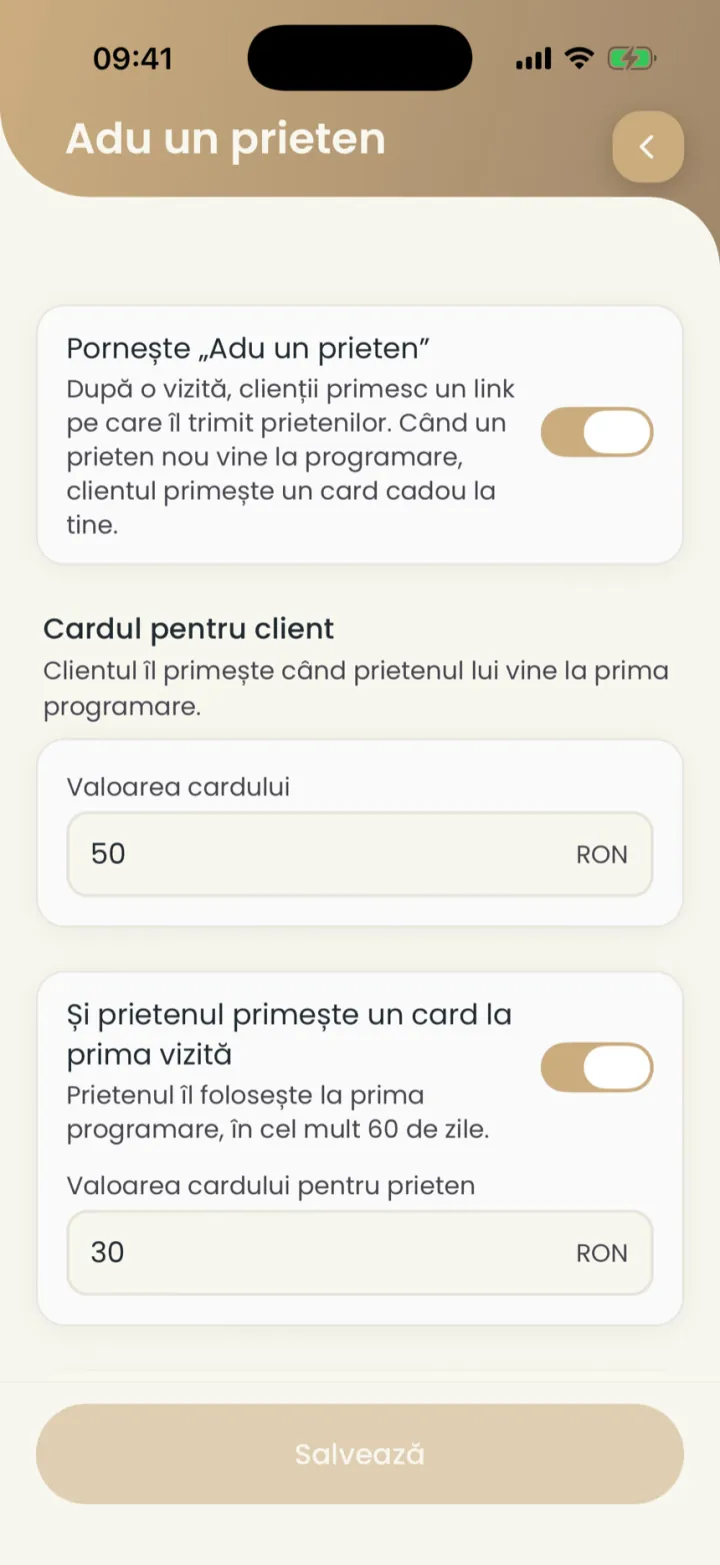
Bring a friend
The client gets a gift card when a new friend comes to you through their link.
Where to find it:Settings (Setări)Bring a friend (Adu un prieten)
- Open Settings and tap Bring a friend (Adu un prieten).
- Turn on the switch at the top.
- At Card value (Valoarea cardului) type the amount for the client.
- Turn on The friend also gets a card for the first visit (Și prietenul primește un card la prima vizită) and type the amount (optional).
- Pick how many cards a client can earn in a month and tap Save (Salvează).
- When the invitation goes out
- After a visit, at most once a month.
- Who counts
- Only new friends. Someone who has been to you before brings no card.
- When the card goes out
- 24 hours after the friend's visit. Until then you can cancel the referral.
- Validity
- Cards are valid for 12 months and are given by you, with no payment.
- Amounts
- Between 10 and 500 RON.
The referral list
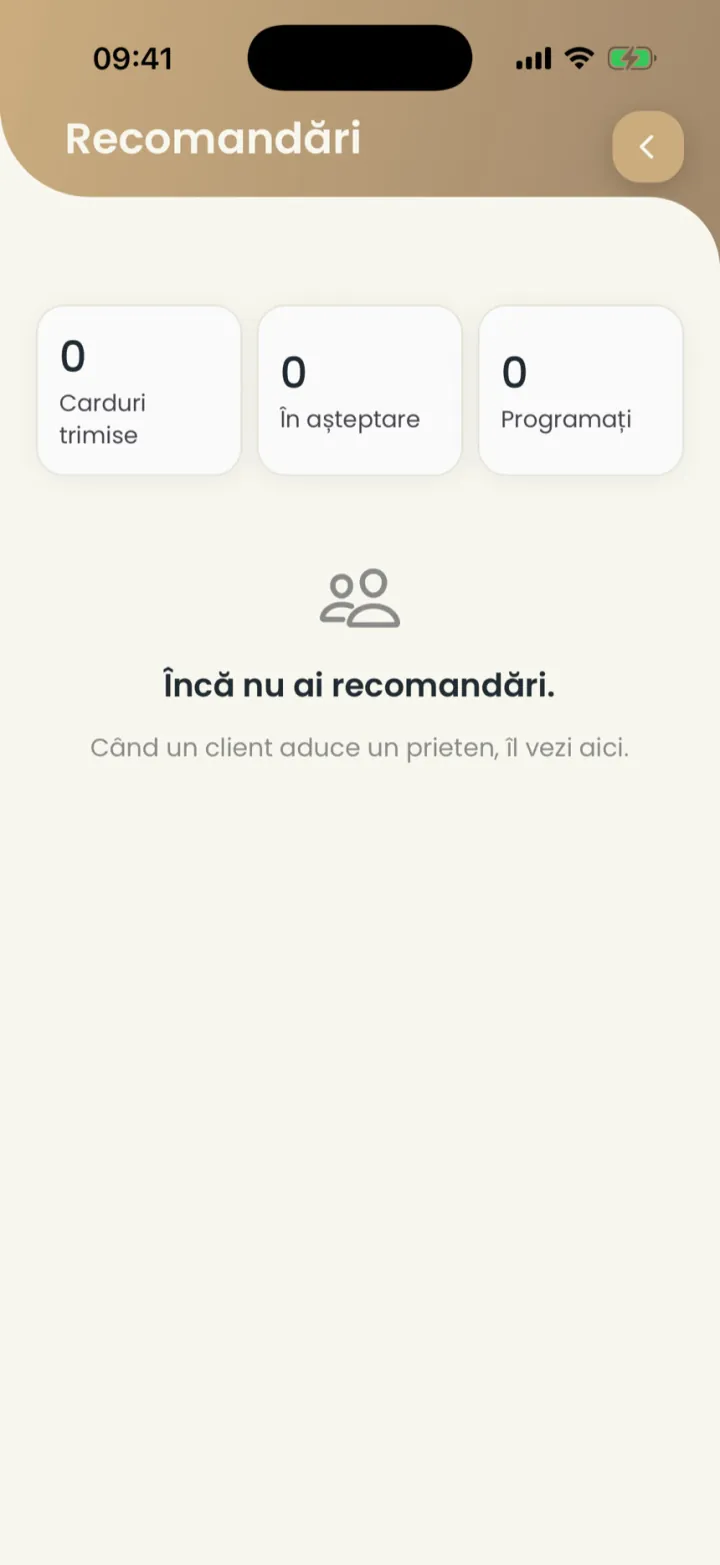
You see the cards sent, the ones waiting and the bookings that came through referrals.
Where to find it:Settings (Setări)Bring a friend (Adu un prieten)Referrals (Recomandări)
- In Bring a friend (Adu un prieten) open Referrals (Recomandări).
- See the figures: cards sent, waiting and booked.
- Tap a referral to see it or cancel it while it is waiting.
Updated on
Help
If the answer is not here, write to us on WhatsApp or by e-mail.