
Nuvio POS: what it is and how to start it
Till, products and stock for your location: how Nuvio turns it on, how it is paid and who can do what.
The app screens shown here are in Romanian; each button's Romanian name follows it in brackets.
What Nuvio POS is
You sell products and services at the front desk, keep stock and give receipts and invoices, in the same app.
- Till
- Charge bookings and sell products, in cash, by card or by bank transfer.
- Cash register
- The fiscal receipt is given on the location's cash register, connected or with keys.
- Products and stock
- Products, goods in, stock counts, transfers and returns.
- Documents
- Goods received notes, consumption notes, stock cards and the export for your accountant.
How to start it
Nuvio turns POS on for your business or your specialist account, at the locations you choose.
Nuvio turns POS on for a business or for a specialist account, at the locations you choose.
Until we turn it on, the Nuvio POS screens don't show in the app.
- Write to us on WhatsApp at +40 735 034 600 or at office@dotkoda.com.
- We agree on the locations together.
- You get the offer on pro.nuvio.ro/pos and pay by card.
- The till and the Products and stock group show in the app right after payment.
Paying on pro.nuvio.ro
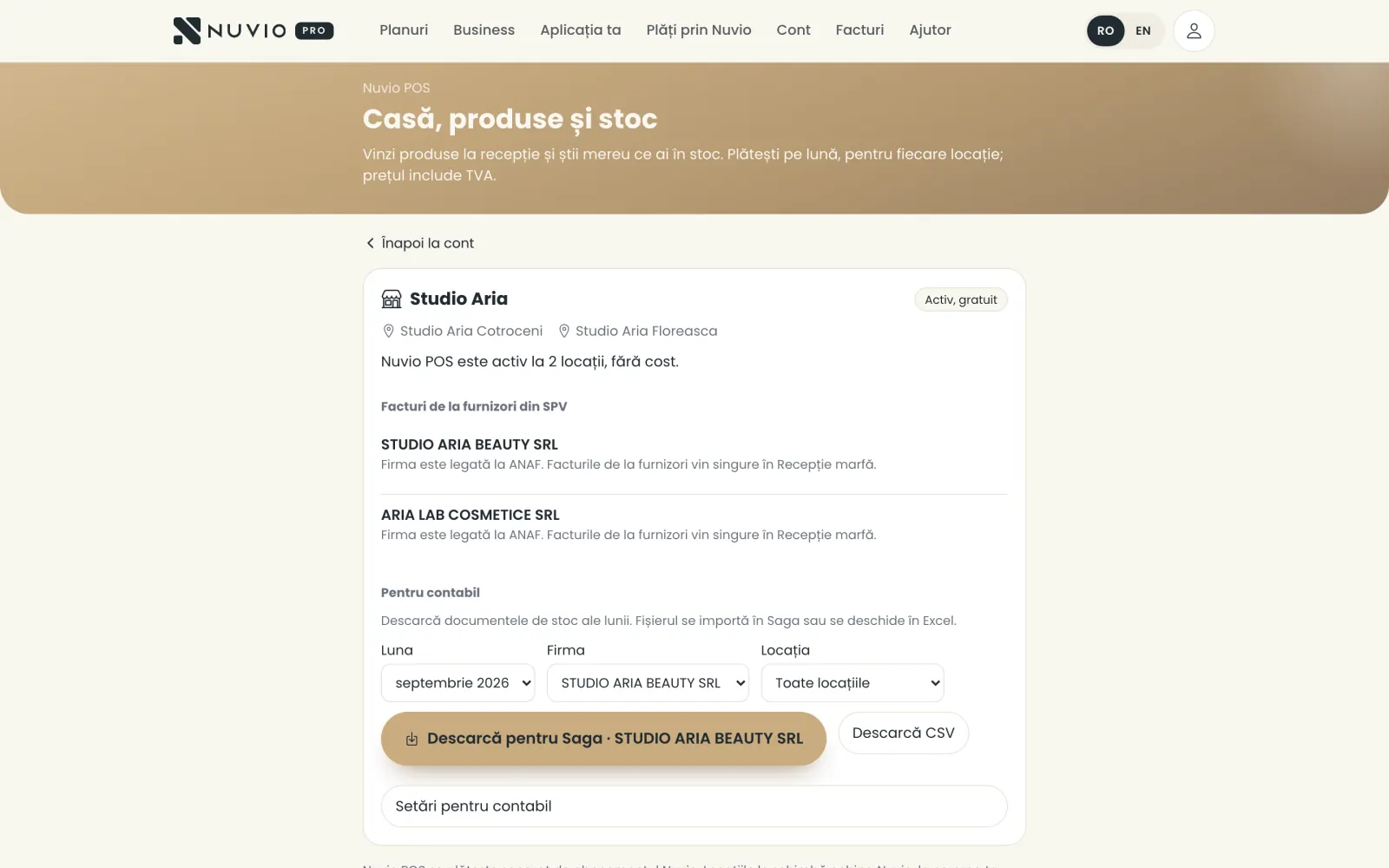
Nuvio POS is paid monthly, per location, by card, on pro.nuvio.ro/pos, separately from the Nuvio plan.
Where to find it:pro.nuvio.roNuvio POS: the offer, the payment and the invoices (Nuvio POS: oferta, plata și facturile)
- Sign in on pro.nuvio.ro with your Nuvio account.
- Open Nuvio POS: the offer, the payment and the invoices (Nuvio POS: oferta, plata și facturile).
- Tap Pay and start Nuvio POS (Plătește și pornește Nuvio POS) and pay by card.
The price includes VAT, and the tax invoice comes by e-mail with every payment.
With Card, invoices and stopping (Card, facturi și oprire) you change the card, download invoices or stop paying.
The Nuvio team changes the locations, when you ask.
Nuvio POS statuses
What you can do in each status: active, ending or stopped.
- Active (Activ)
- You sell, receive goods and print documents.
- Ending (Se oprește)
- You stopped paying; it works normally until the date shown.
- Stopped (Oprit)
- Payment stopped: you can see and print documents, with no sales and no stock changes.
To sell again, you pay again on pro.nuvio.ro/pos.
Who can do what
Rights at the till and over stock come from each person's role in the business.
- Owner and manager
- Sell, receive goods and count stock, change products and prices, cancel any sale.
- Front desk
- Sells, closes the day, receives goods and counts stock, cancels their own same-day sales.
- Specialist
- No access to the till or stock.
Each person sees only the locations they have access to.
Where to find it
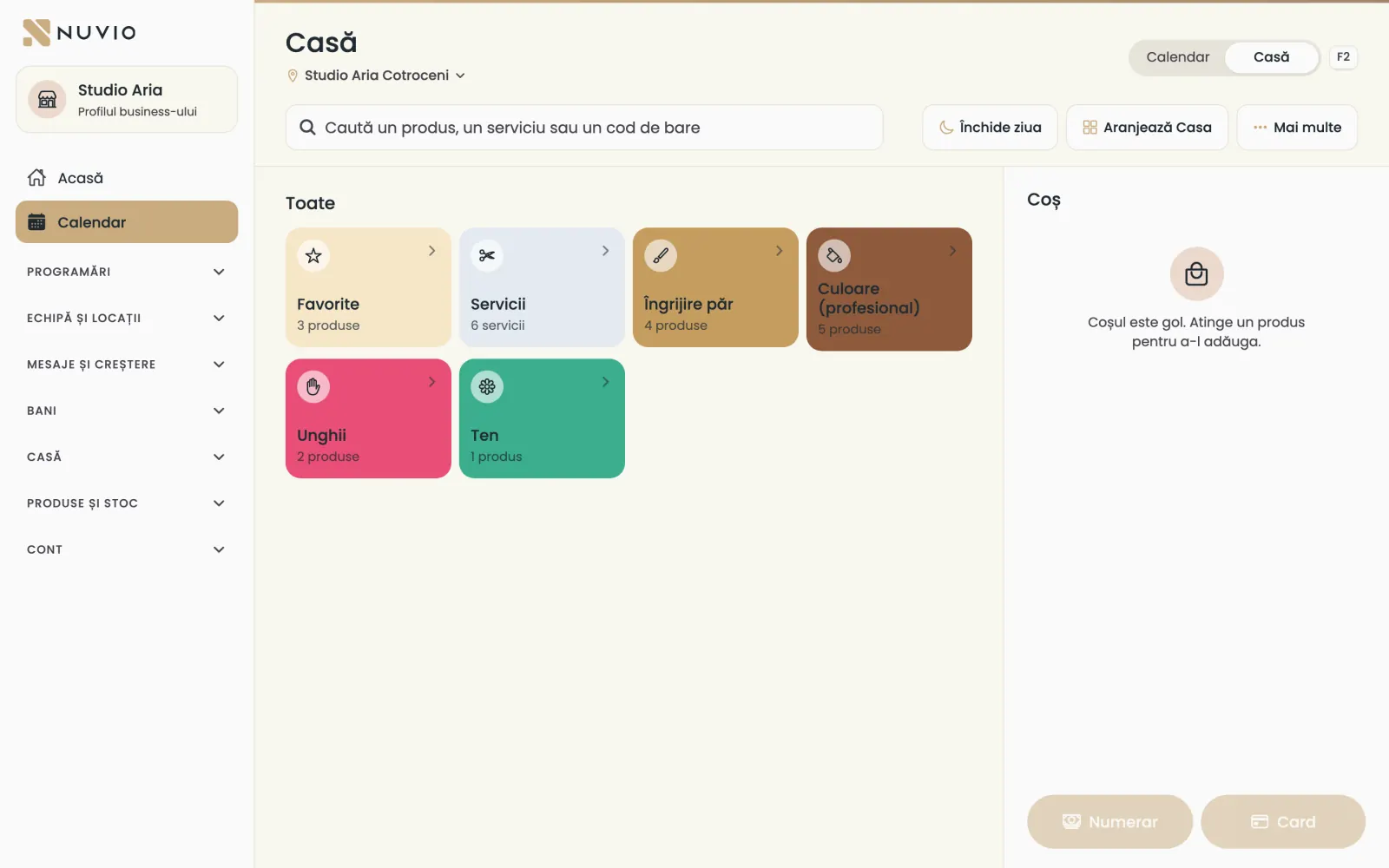
The till sits next to the calendar, and products and stock are in the menu, under Products and stock.
Where to find it:CalendarTill (Casă)
- Calendar and Till (Casă)
- The switch at the top of the calendar; on a computer you also switch with the F2 key.
- Products and stock (Produse și stoc)
- Products, stock, goods in, stock count, transfer, return, to order, documents.
- Till (Casă)
- In the menu: sales, till invoices, invoice and cash register settings.
Without internet
The till sells without internet too; sales are sent on their own when the connection is back.
Where to find it:To sync (De sincronizat)
Sales made without internet stay on the device and show under To sync (De sincronizat) until they reach Nuvio.
While there are unsent sales, stock shows as estimated.
Goods receipts are kept too; product and price changes need the internet.
Common problems
What if a sale stays under To sync?
Check the internet and open To sync (De sincronizat).
If the sale needs a decision, you see there what to do.
Updated on
Help
If the answer is not here, write to us on WhatsApp or by e-mail.