
Reviews
How Nuvio asks for reviews after a visit, how you reply and how the rating is worked out.
The app screens shown here are in Romanian; each button's Romanian name follows it in brackets.
How reviews are asked for
Clients with the app get the request by themselves, and you send the link to the others on WhatsApp.
Where to find it:Settings (Setări)Reviews (Recenzii)
- With the Nuvio app
- The client gets a question after the visit, automatically.
- Without the app
- On Home you see the clients without the app who can leave a review. Tap Send on WhatsApp (Trimite pe WhatsApp).
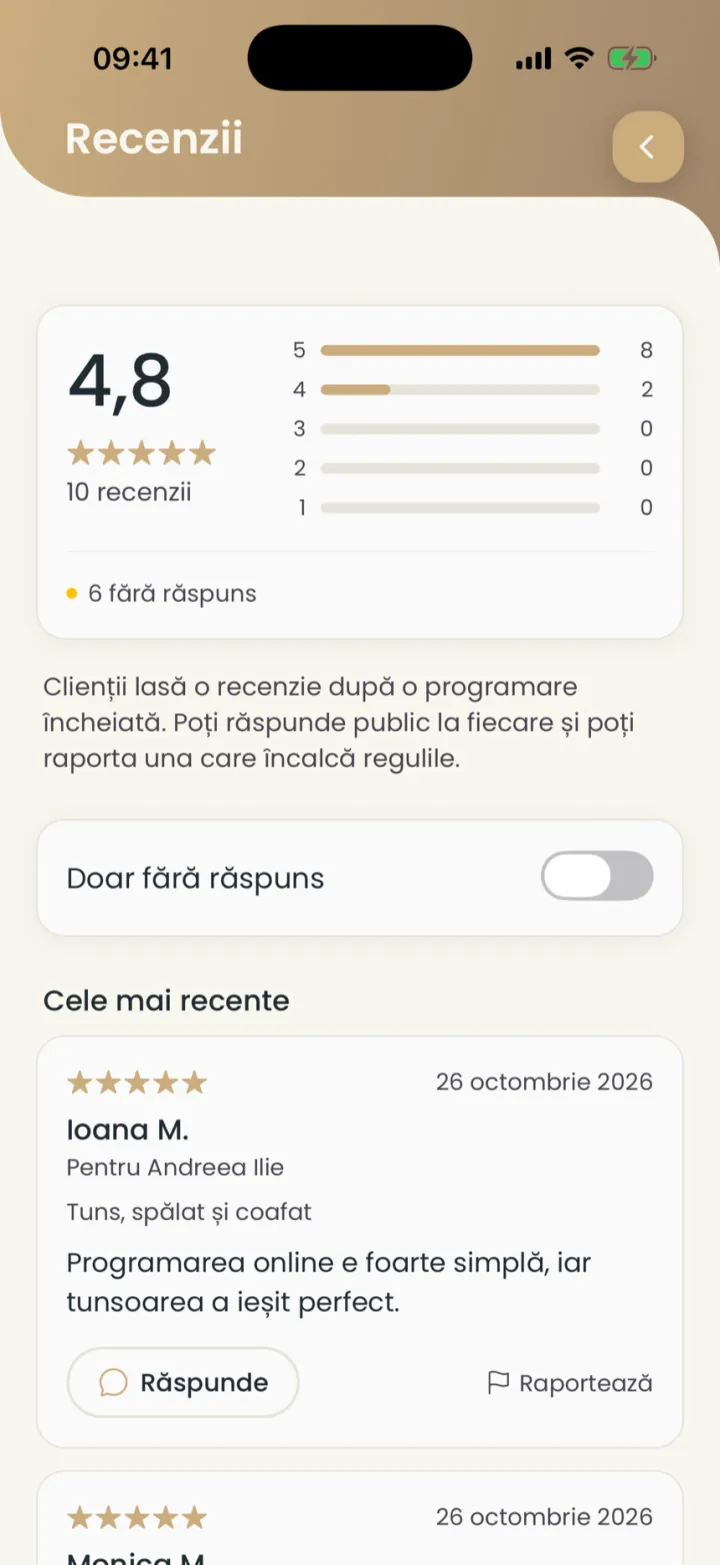
Only someone who had an appointment with you can leave a review.
Reply to a review
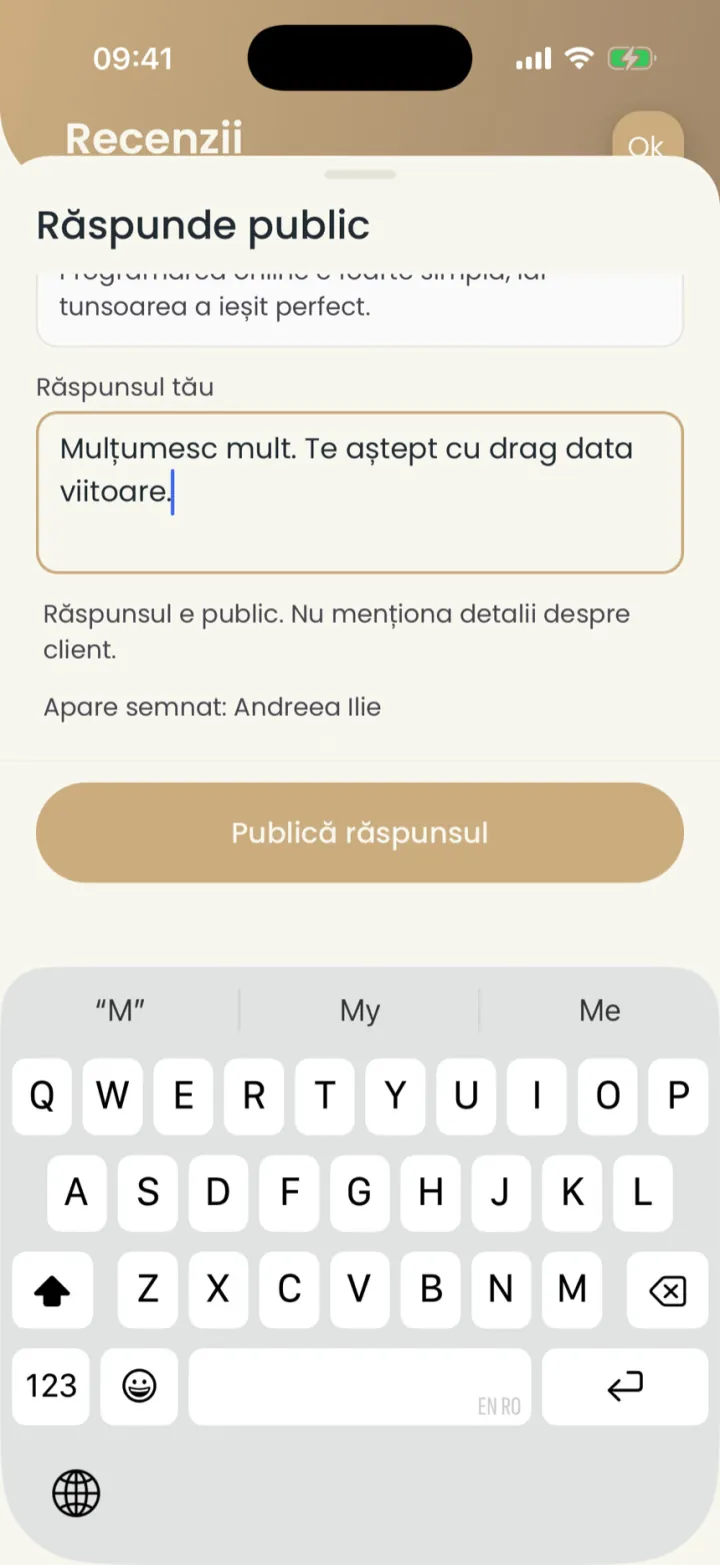
Your reply is public and shows under the review.
Where to find it:Settings (Setări)Reviews (Recenzii)Reply (Răspunde)
- Open Settings and tap Reviews (Recenzii).
- Turn on Only without a reply (Doar fără răspuns) to see only the ones waiting for you.
- On the review tap Reply (Răspunde).
- Write your reply and tap Publish reply (Publică răspunsul).
The rating on your page
The average of your reviews shows on your page from 3 reviews on.
On the Reviews (Recenzii) screen you see the rating, the number of reviews and how many you have for each number of stars.
Report a review
A review that breaks the rules you report, and we check it.
Where to find it:Settings (Setări)Reviews (Recenzii)Report (Raportează)
- On the review tap Report (Raportează).
- Pick the reason, for example Insults, hate or threats (Jigniri, ură sau amenințări).
- Add details (optional) and tap Send (Trimite).
The review stays visible until we check it, within a few working days. We never hide reviews for being negative.
Updated on
Help
If the answer is not here, write to us on WhatsApp or by e-mail.