
Courses
You publish courses with editions, prices and seats, and get requests and sign-ups.
The app screens shown here are in Romanian; each button's Romanian name follows it in brackets.
Make a course
A new course takes a few short steps, from the name to publishing.
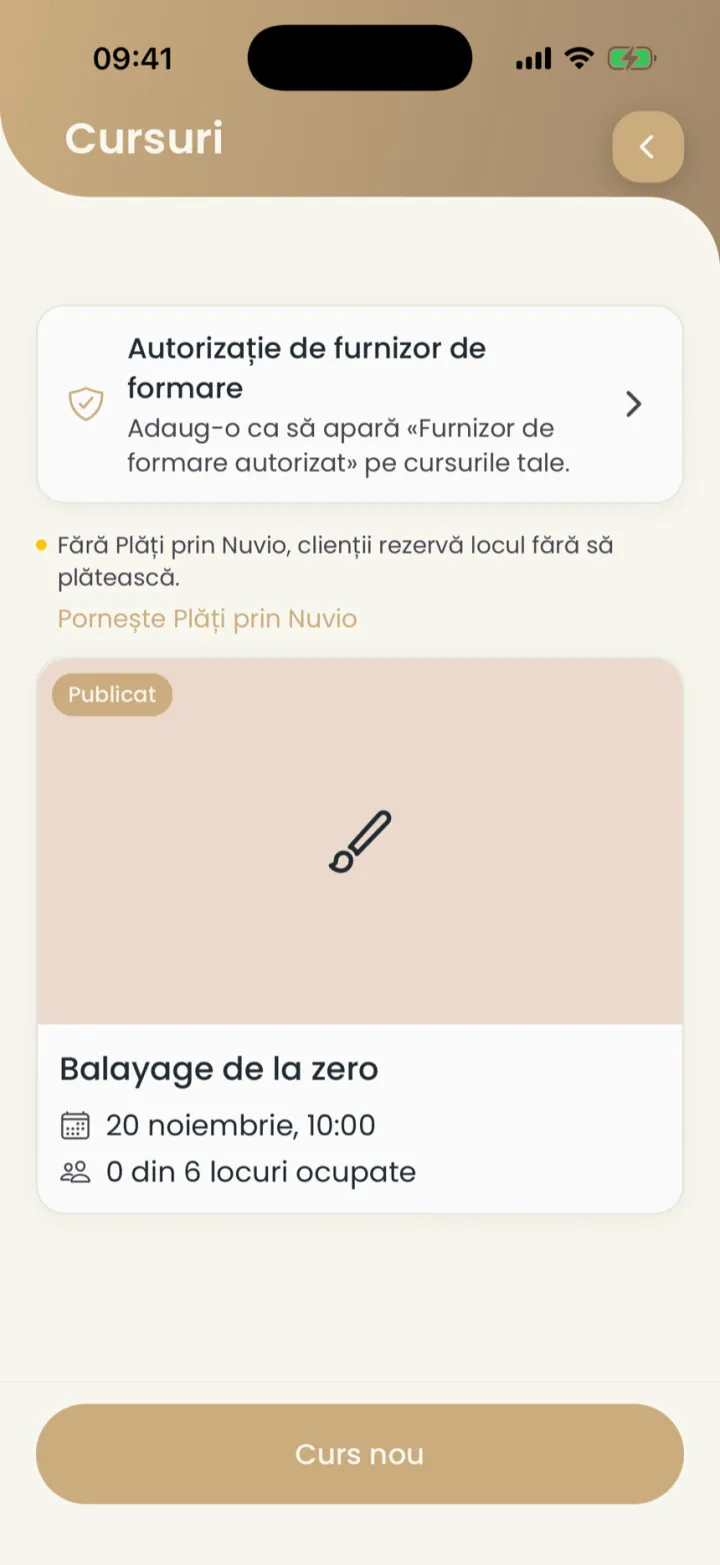
Where to find it:Settings (Setări)Courses (Cursuri)New course (Curs nou)
- Open Settings and tap Courses (Cursuri).
- Tap New course (Curs nou).
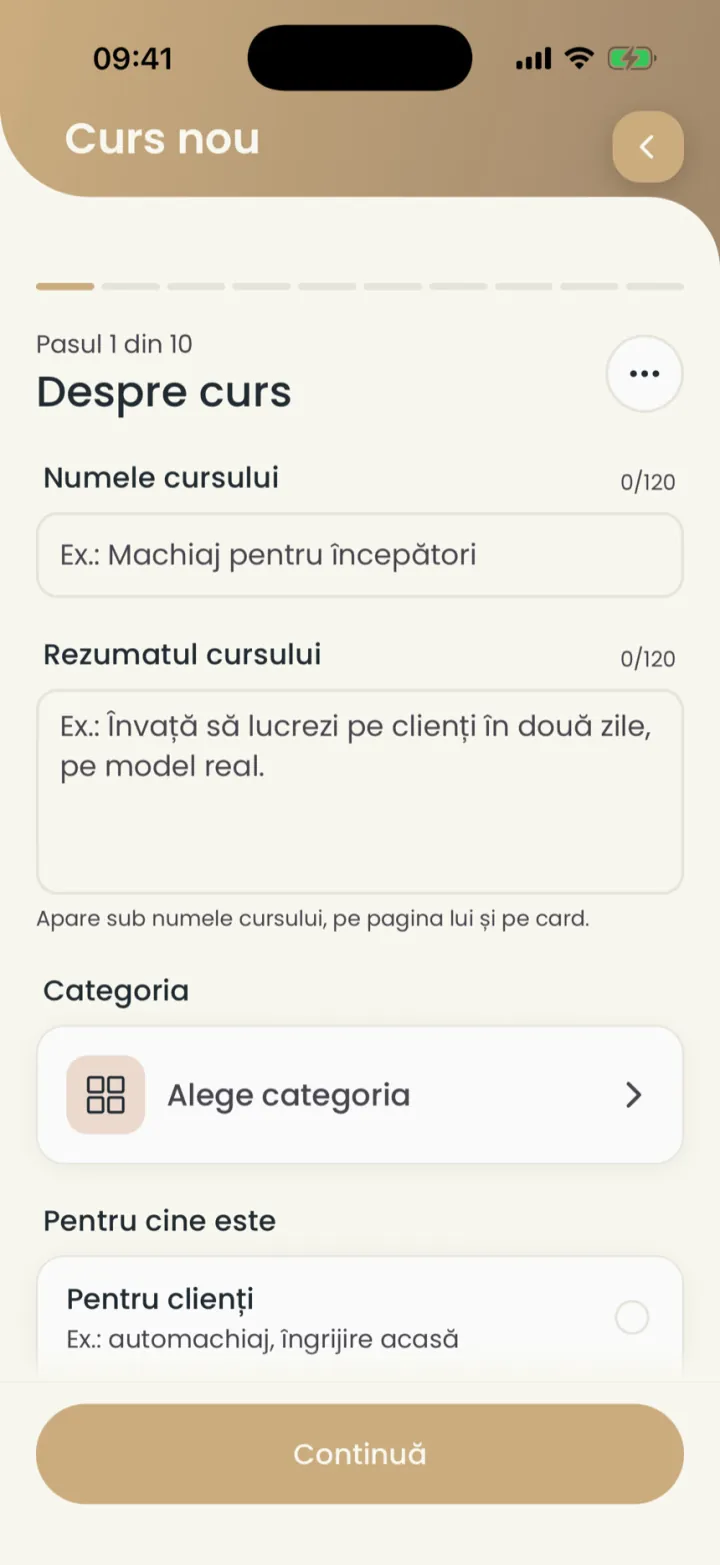
- In About the course (Despre curs) type the name and the summary and pick the category.
- Pick whether it is For clients (Pentru clienți) or For professionals (Pentru profesioniști).
- Tap Continue (Continuă) on each step and fill in what it asks.
- At the end tap Publish (Publică).
The course page
Every course has its own page on nuvio.ro, with the programme, the prices and sign-up.
The page shows Photos (Fotografii), what participants learn, the programme, the prices and the editions with free seats.
A course with no scheduled edition is not shown to clients. Add an edition.
Editions
An edition is one date of the course, with its own seats.
Where to find it:Settings (Setări)Courses (Cursuri)New edition (Ediție nouă)
- Open the course.
- Under Editions (Ediții) tap New edition (Ediție nouă).
- Pick the date, the time and the seats, then save.
A course can also be on request, one to one: the participant asks for a date and you confirm it.
Prices
A course can have several price options and a lower price for early sign-up.
Where to find it:Settings (Setări)Courses (Cursuri)Prices (Prețuri)
- At the Prices (Prețuri) step type the price of each option.
- Set a lower price until a certain date (optional).
Seats
You pick how many seats each edition has, and the list shows how many are taken.
When the edition is full, it shows Full (Complet). Anyone who wants a seat can join the waiting list.
Access codes
Codes that give a seat on the course, for example to someone who paid another way.
Where to find it:Settings (Setări)Courses (Cursuri)Access codes (Coduri de acces)
- Open the course and tap Access codes (Coduri de acces).
- Make a new code and send it to the participant.
Requests
Anyone who wants details or a new date sends you a request.
Where to find it:Settings (Setări)Courses (Cursuri)Requests (Cereri)
- Ask for details (Cere detalii)
- Someone wants to know more about the course.
- Announcements
- Anyone who wants to know when you add a new edition gets an automatic announcement.
You see requests in the course, under Requests (Cereri).
Participants
You see who signed up for each edition and what they paid.
Where to find it:Settings (Setări)Courses (Cursuri)Participants (Participanți)
- Open the course and pick the edition.
- Tap Participants (Participanți).
Payments and invoices
Participants pay the whole course or a deposit online, through Payments through Nuvio.
Without Payments through Nuvio, participants reserve a seat without paying.
A course deposit is at least 50 RON. The invoice is made as for any payment through Nuvio.
Course reviews
After the course, participants can leave it a review.
Where to find it:Settings (Setări)Courses (Cursuri)Reviews (Recenzii)
You see them in the course, under Reviews (Recenzii), and you can reply or report them like your reviews.
Authorised training provider
If you are an authorised training provider, you add the authorisation and it shows on your courses.
Where to find it:Settings (Setări)Courses (Cursuri)Provider authorisation (Autorizație de furnizor)
- In Courses (Cursuri) tap the row with the training provider authorisation.
- Add the authorisation.
Trainers
You add a trainer who has no Nuvio account to a course.
You pick the trainer on the edition. Their name shows on the course page.
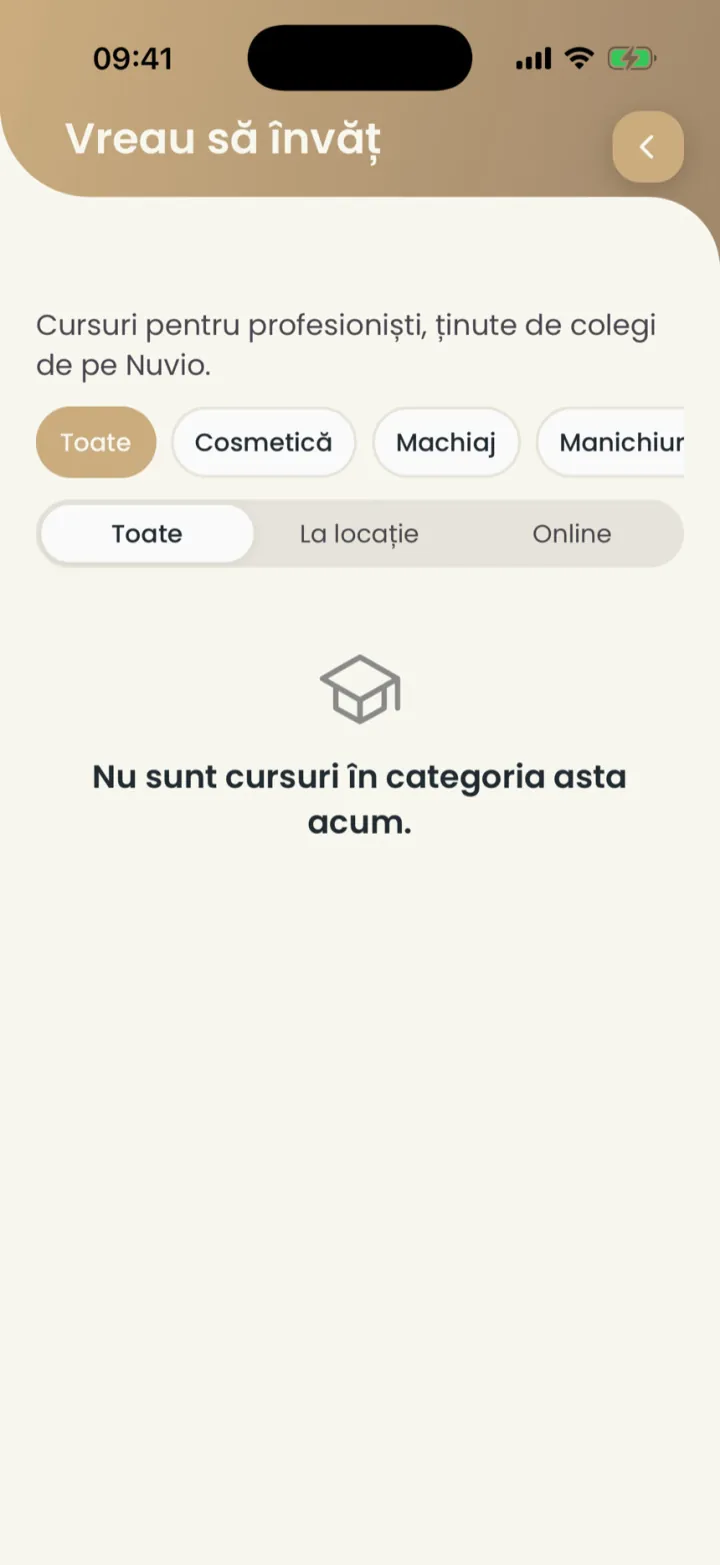
I want to learn
Courses for professionals, held by colleagues on Nuvio.
Where to find it:Settings (Setări)I want to learn (Vreau să învăț)
- Open Settings and tap I want to learn (Vreau să învăț).
- Filter by category or by place: at a location or online.
- Open a course and sign up on its page.
Updated on
Help
If the answer is not here, write to us on WhatsApp or by e-mail.