
Stock
See what is on the shelf, receive goods, count, move between locations, return goods and print stock documents.
The app screens shown here are in Romanian; each button's Romanian name follows it in brackets.
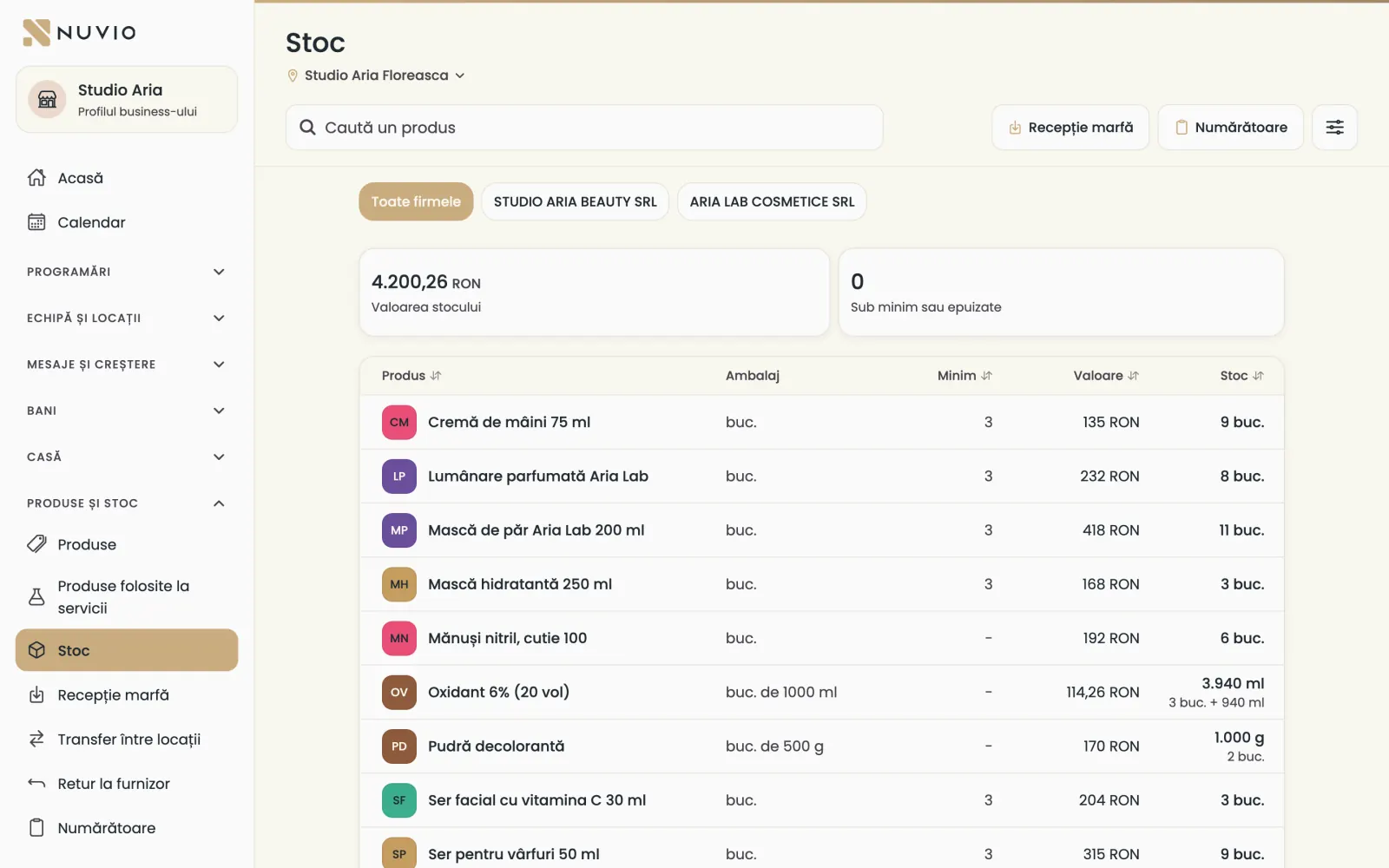
The location's stock
How much of each product you have, what the stock is worth and which products are below minimum.
Where to find it:Products and stock (Produse și stoc)Stock (Stoc)
- Open Stock (Stoc) and choose the location.
- At the top you see Stock value (Valoarea stocului) and Below minimum or out (Sub minim sau epuizate).
- Tap a product to see its actions.
When the device has unsent sales, stock shows as Estimated stock (Stoc estimat).
The product's stock card
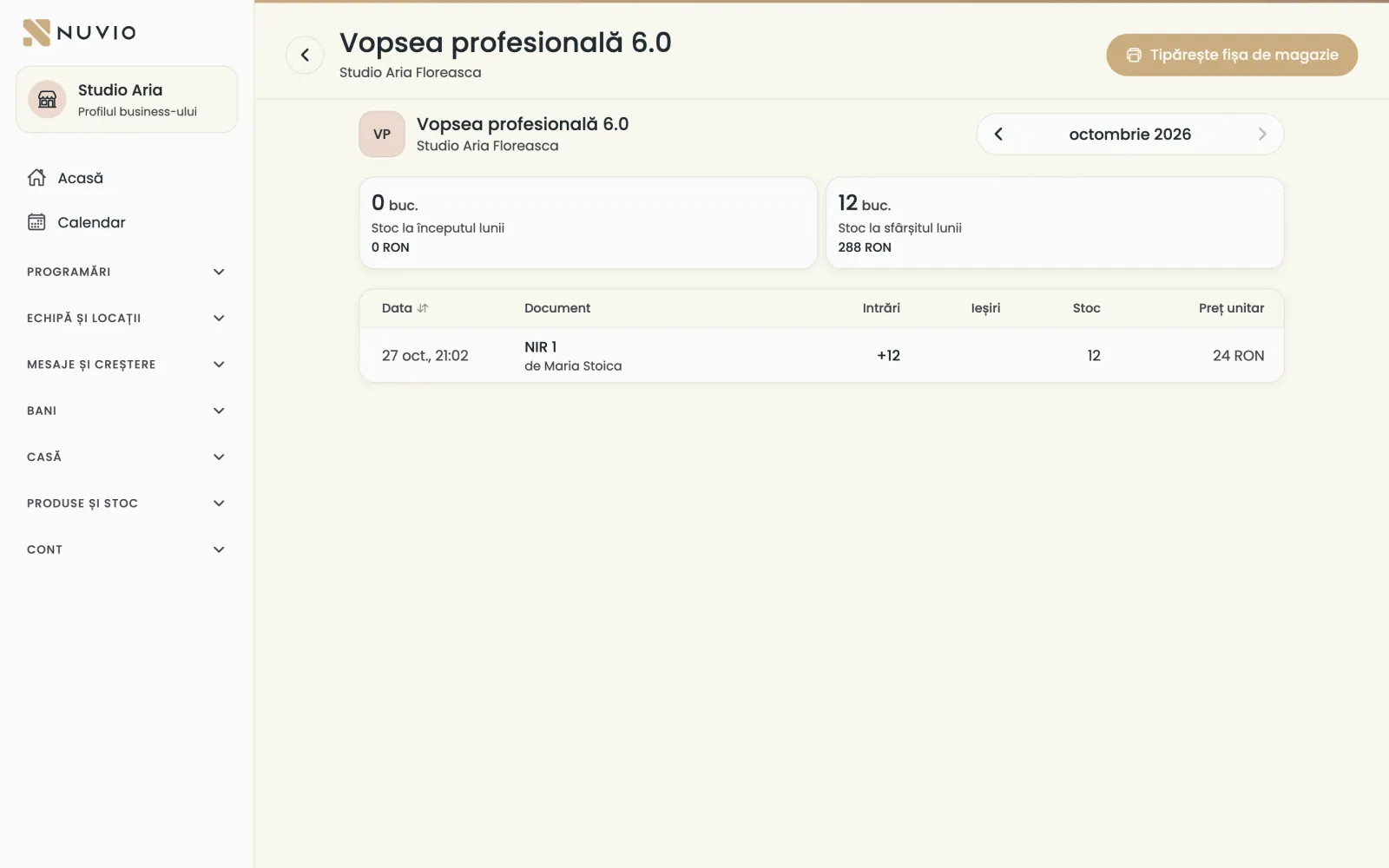
Every movement in and out of a product in a month, with each movement's document.
- In Stock (Stoc), tap the product and open its card.
- Choose the month.
- Tap Print the stock card (Tipărește fișa de magazie) for a PDF.
Goods in (NIR)
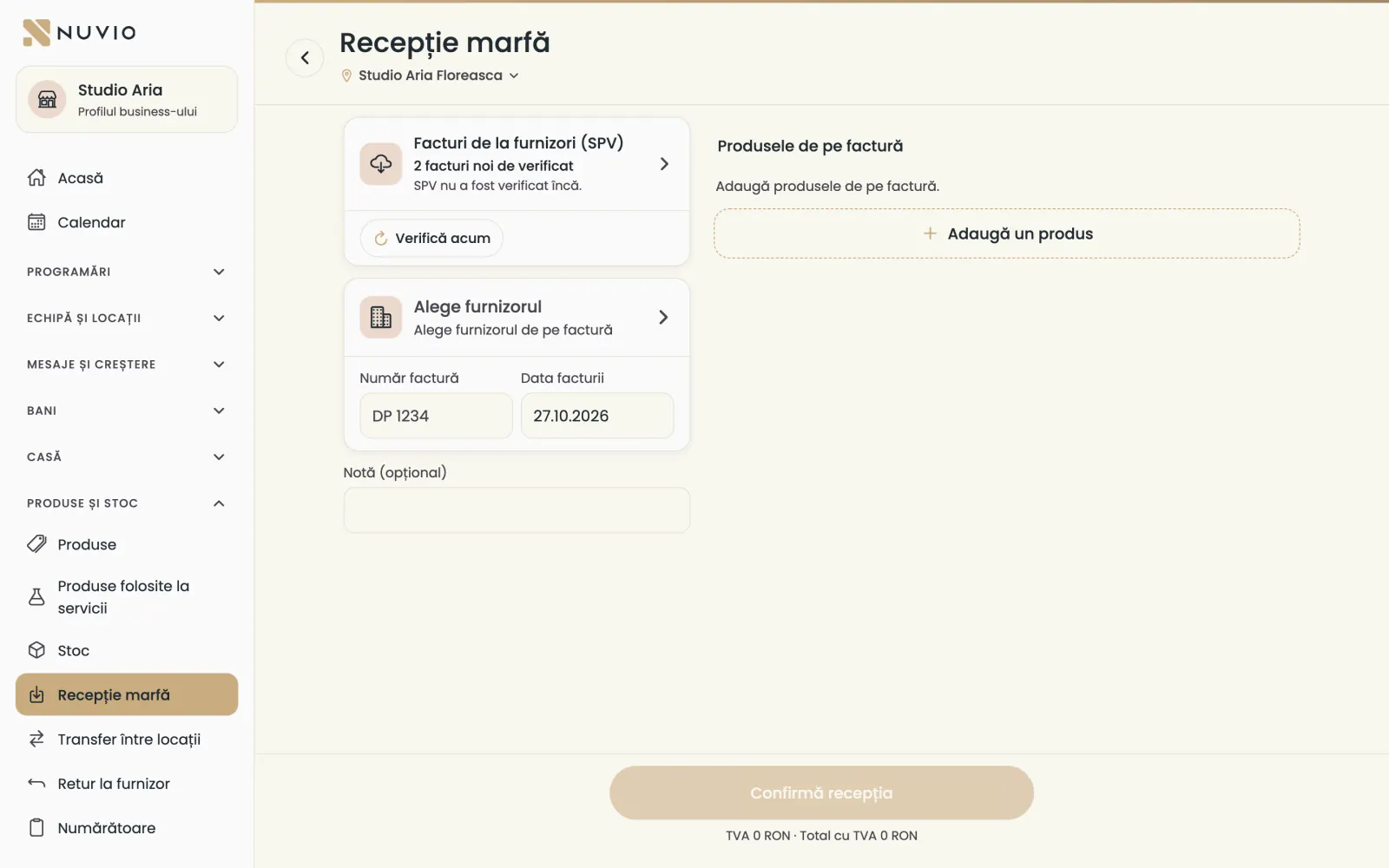
Put the goods on the supplier's invoice into stock; Nuvio makes the goods received note, the NIR.
Where to find it:Products and stock (Produse și stoc)Goods in (Recepție marfă)
The NIR, the goods received note, is the document that shows which goods came into stock and at what price.
- Open Goods in (Recepție marfă) and choose the location.
- Choose the supplier, type the Invoice number (Număr factură) and the Invoice date (Data facturii).
- Tap Add a product (Adaugă un produs) for each line on the invoice.
- Type the quantity In pieces (În bucăți) or In supplier packs (În ambalaje) and the price without VAT.
- Tap Confirm the receipt (Confirmă recepția).
If the company is connected to ANAF, supplier invoices show at the top, under Supplier invoices (SPV).
Take out of stock
Remove from stock a product that was used, given away, damaged or expired.
Where to find it:Products and stock (Produse și stoc)Stock (Stoc)Take out of stock (Scade din stoc)
- In Stock (Stoc), tap the product and choose Take out of stock (Scade din stoc).
- Type the quantity.
- Choose the reason: Used for services (Consum la servicii), Free giveaway (Ofertă gratuită), Staff use (Consum personal), Damaged (Deteriorat), Expired (Expirat) or Other reason (Alt motiv).
- Tap Take out of stock (Scade din stoc).
The stock count (stocktake)
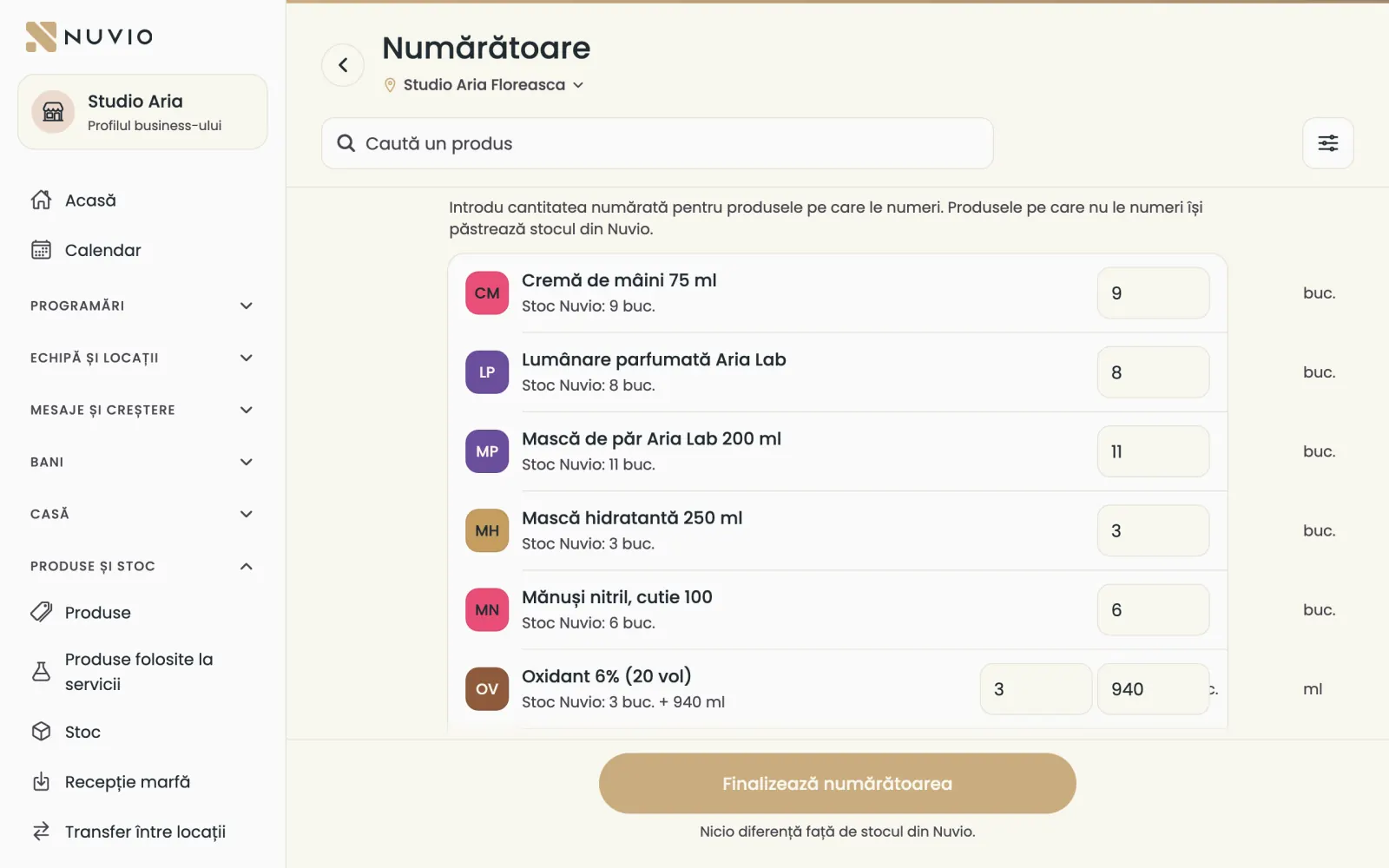
Count what is on the shelf and Nuvio corrects the stock to what you counted.
Where to find it:Products and stock (Produse și stoc)Stock count (Numărătoare)
- Open Stock count (Numărătoare) and choose the location.
- Type the counted quantity for the products you count.
- With Differences only (Doar diferențele) you check what doesn't match.
- Tap Finish the count (Finalizează numărătoarea) and confirm.
Products you don't count keep Nuvio's stock.
If something sells while you count, Nuvio shows you the lines to check again.
Transfer between locations
Move products from one location's stock to another's.
Where to find it:Products and stock (Produse și stoc)Transfer
- Open Transfer.
- Choose the location the products leave and the one they go to.
- Add the products and quantities.
- Tap Move the products (Mută produsele).
Return to the supplier
Send goods back to the supplier, with the reason and its delivery note.
Where to find it:Products and stock (Produse și stoc)Return to supplier (Retur la furnizor)
- Open Return to supplier (Retur la furnizor) and choose the supplier.
- Choose the reason, for example Damaged (Deteriorat) or Received by mistake (Primit greșit).
- Fill in the transport (optional) and add the returned products.
- Tap Record the return (Înregistrează returul).
The products leave stock now; when you get the supplier's credit invoice, you link it to this return.
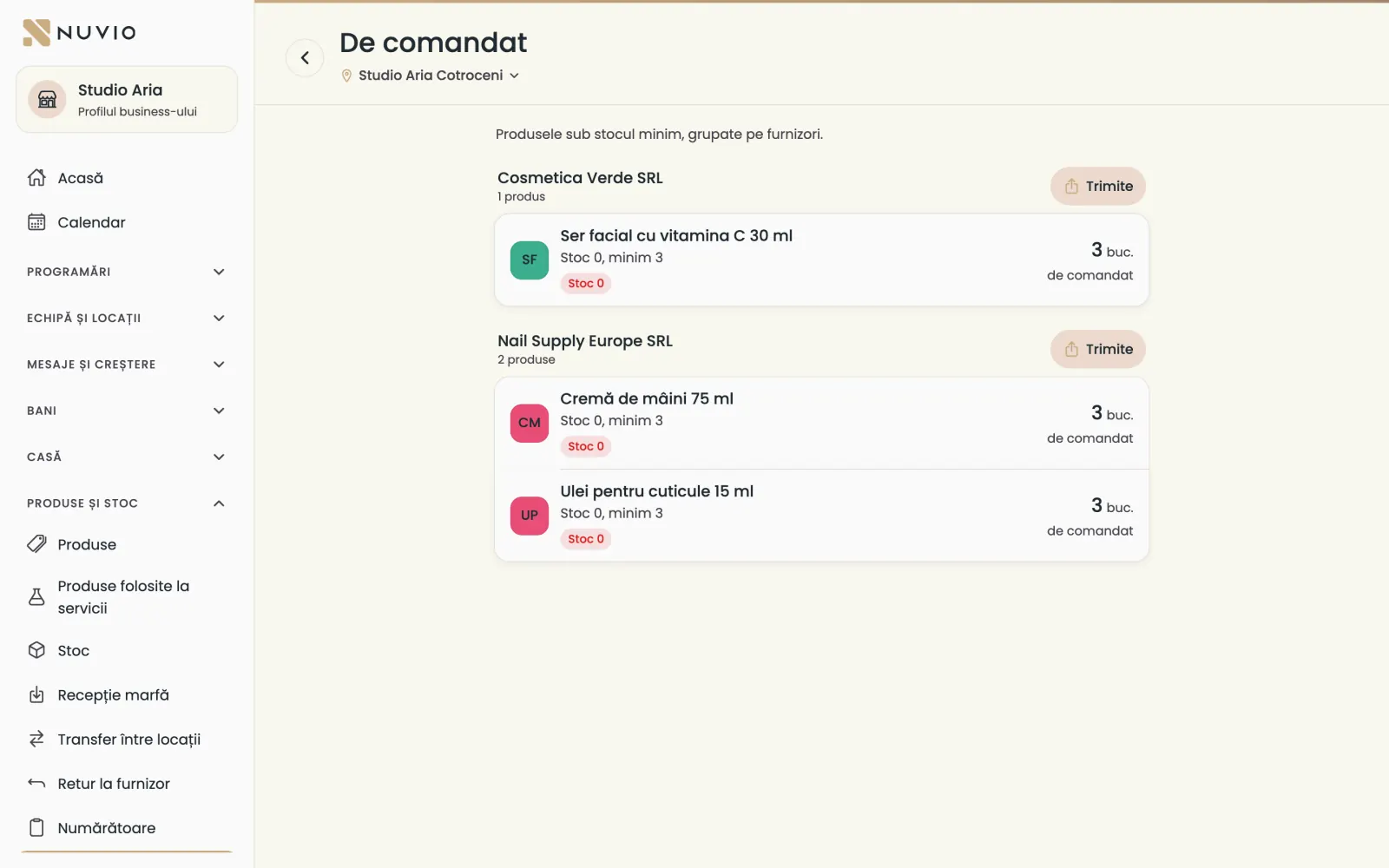
To order
The list of products below minimum stock, grouped by supplier, ready to send.
Where to find it:Products and stock (Produse și stoc)To order (De comandat)
- Open To order (De comandat).
- Check the suggested quantities.
- Tap Send (Trimite) next to a supplier to send the list as text, for example on WhatsApp.
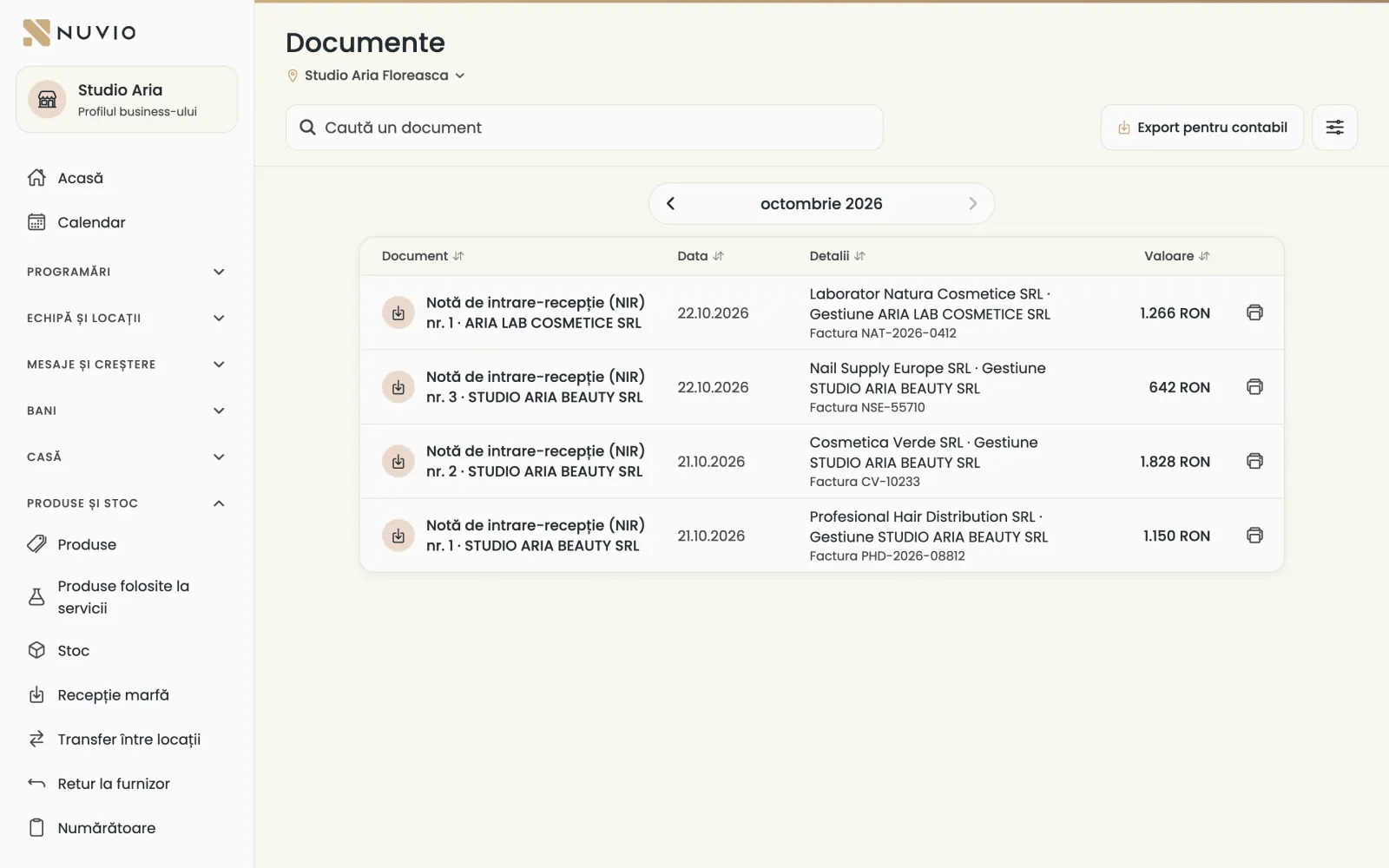
Stock documents
Goods received notes, delivery notes, consumption notes and transfers, by month, ready to print.
Where to find it:Products and stock (Produse și stoc)Documents (Documente)
- Open Documents (Documente) and choose the month.
- Tap a document to open it as a PDF and print it.
The consumption note with the products used in services is made on its own, on the 1st, for last month.
How cost is worked out
What you sell or use leaves stock at the price of the goods that came in first.
If you bought the same colour at different prices, the first units out carry the first receipt's price.
Accountants call this method FIFO: first in, first out.
The stock value and the cost of products used in services are worked out this way.
Updated on
Help
If the answer is not here, write to us on WhatsApp or by e-mail.