
Promotions and penalties
Automatic or code discounts, their conditions and penalties for no-shows.
The app screens shown here are in Romanian; each button's Romanian name follows it in brackets.
Make a promotion
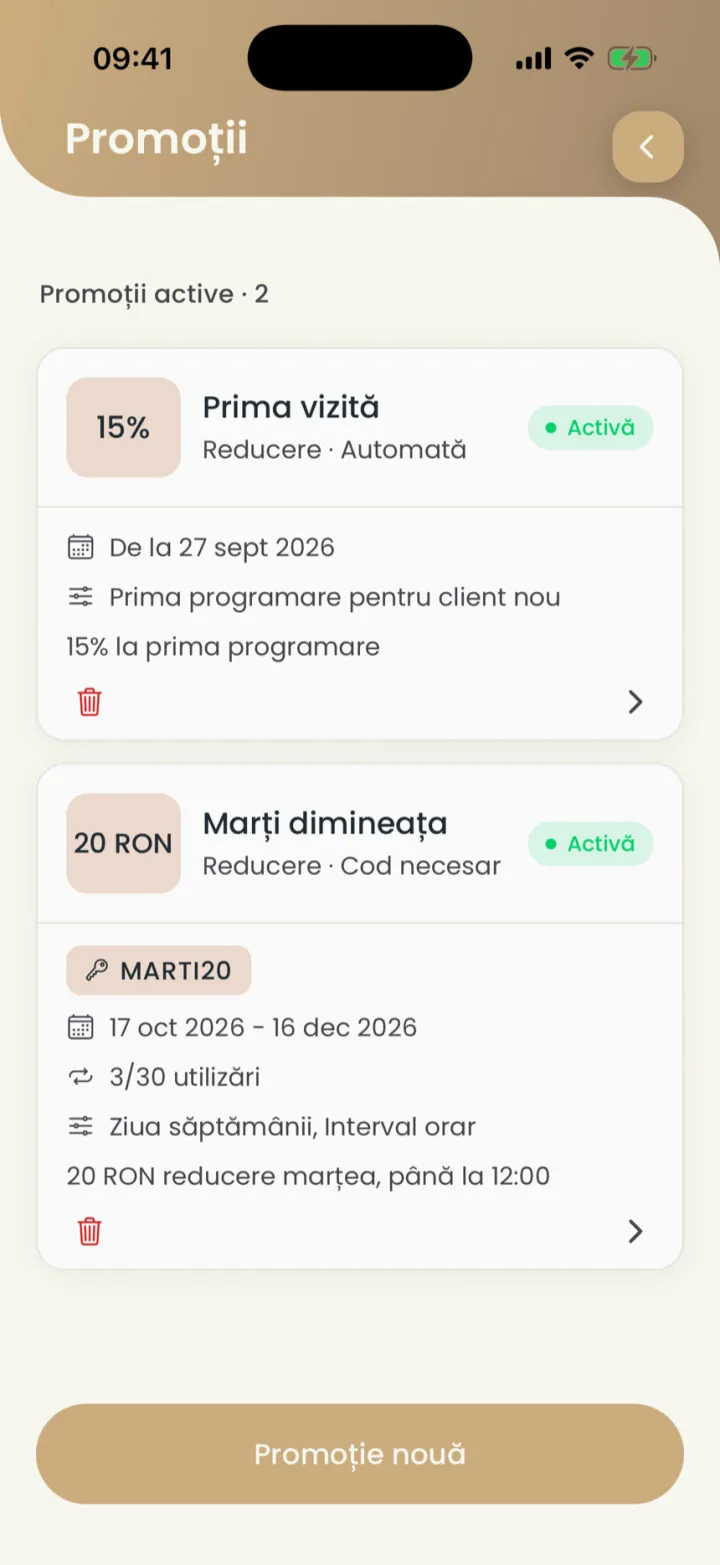
A promotion is a discount Nuvio applies by itself, or only with a code.
Where to find it:Settings (Setări)Promotions (Promoții)Create promotion (Creează promoție)
- Open Settings and tap Promotions (Promoții).
- Tap the button at the bottom for a new promotion.
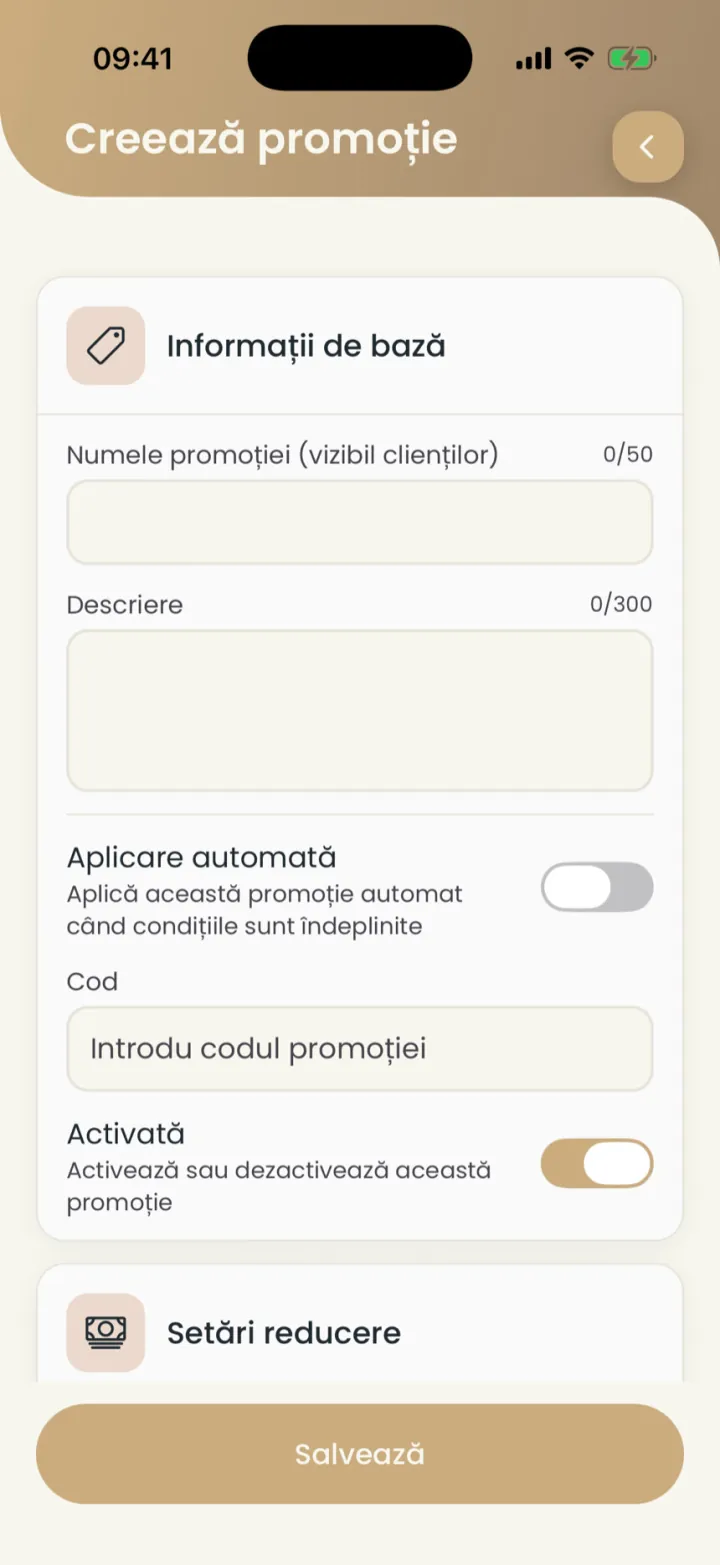
- Type the Promotion name (visible to clients) (Numele promoției (vizibil clienților)) and a description.
- Pick Automatic application (Aplicare automată) or type a code.
- Under Discount Settings (Setări reducere) pick the type and the value of the discount.
- Add conditions (optional) and tap Save (Salvează).
The discount
A percentage of the price or a fixed amount in RON.
Where to find it:Settings (Setări)Promotions (Promoții)Discount Settings (Setări reducere)
- Percentage
- For example 15% off the price of the appointment.
- Amount
- For example 20 RON off.
Automatic or with a code
An automatic promotion applies by itself, one with a code only when the client types the code.
Where to find it:Settings (Setări)Promotions (Promoții)Automatic application (Aplicare automată)
- Automatic application (Aplicare automată)
- The discount applies by itself to anyone who meets the conditions.
- Code (Cod)
- The client types the code when booking, for example MARTI20.
Conditions
You choose who gets the promotion and when.
Where to find it:Settings (Setări)Promotions (Promoții)Conditions (Condiții)
- At Conditions (Condiții) tap Add condition (Adaugă condiție).
- Pick the type of condition and fill it in.
- First appointment for new client (Prima programare pentru client nou)
- Only on a client's first visit.
- Specific appointment number (Numărul specific de programare)
- For example the 5th visit.
- Day of week (Ziua săptămânii) and Time range (Interval orar)
- Only on some days or hours.
- Service specific (Serviciu specific)
- Only on some services.
- Minimum value (Valoare minimă)
- Only from a certain amount.
- Last minute booking (Rezervare de ultimă oră)
- Only a few hours before the appointment.
Discounts do not add up
If a client qualifies for several discounts, they get the largest one.
An appointment has one promotion.
Turn off or delete a promotion
You turn it off with the Enabled switch, or delete it.
Where to find it:Settings (Setări)Promotions (Promoții)
- Open the promotion, turn off Enabled (Activată) and save.
- To delete it, tap the bin on its card, in the list.
Finished promotions show under Expired promotions (Promoții expirate).
Penalties
A fee added to the next appointment of a client who did not show up.
Where to find it:Settings (Setări)Penalties (Penalități)Create penalty (Creează penalitate)
- Open Settings and tap Penalties (Penalități).
- Tap New penalty (Penalizare nouă).
- Type the name and the amount of the fee.
- Pick how many days after the last no-show it applies and save.
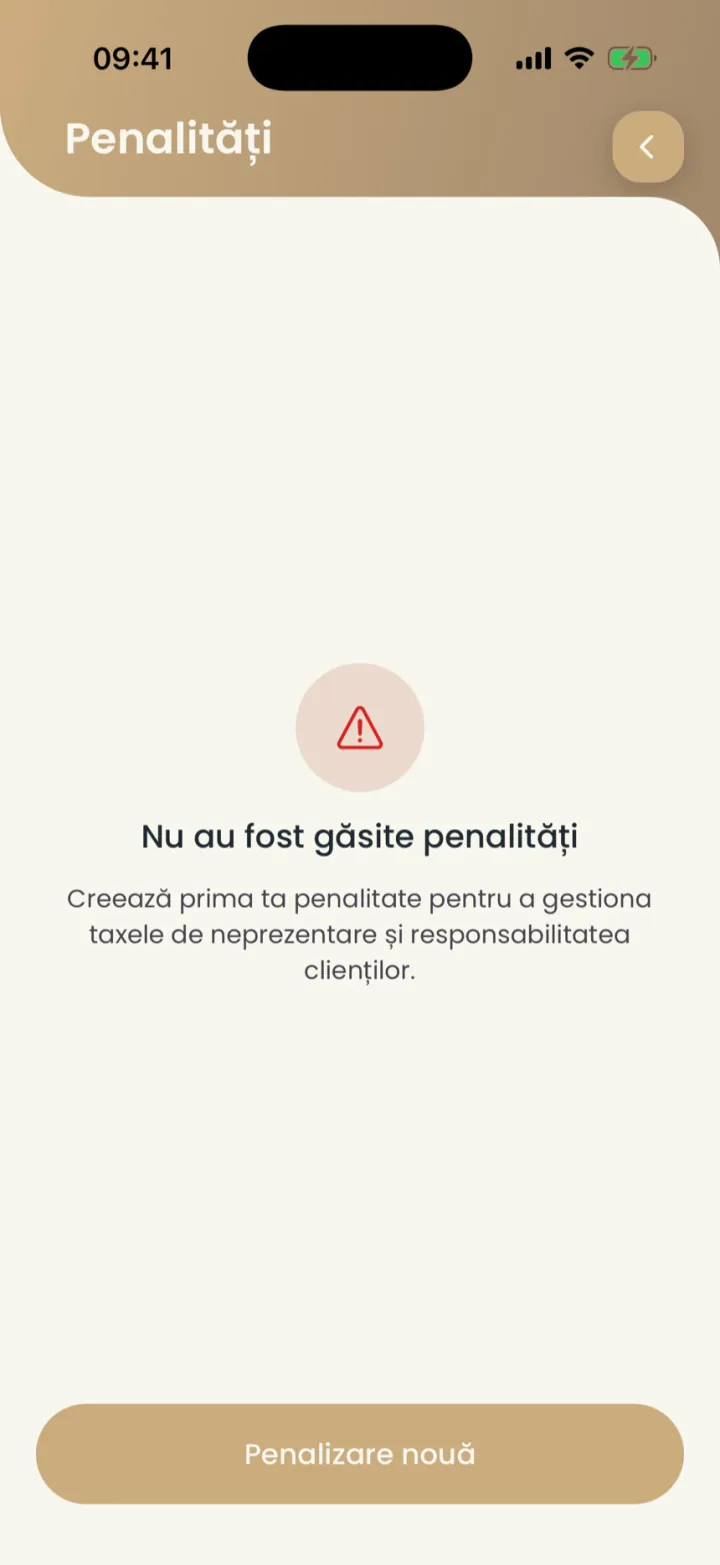
Penalties apply automatically, on the client's first appointment after the no-show.
If you leave Premium
When the account moves to Standard, every promotion and penalty stops.
If you come back to Premium, you turn them on again, one by one.
Updated on
Help
If the answer is not here, write to us on WhatsApp or by e-mail.