
Supplier invoices (SPV)
Supplier invoices come in on their own from SPV; you check them line by line and put them into stock in one tap.
The app screens shown here are in Romanian; each button's Romanian name follows it in brackets.
The ANAF connection
SPV is your space at ANAF, the tax authority, where invoices from suppliers arrive.
Nuvio reads invoices from SPV through the same ANAF connection it uses for your own invoices.
If the company isn't connected, under Goods in (Recepție marfă) you see Link the company to ANAF (Leagă firma la ANAF).
The steps are in Connect the company to ANAF.
Received invoices
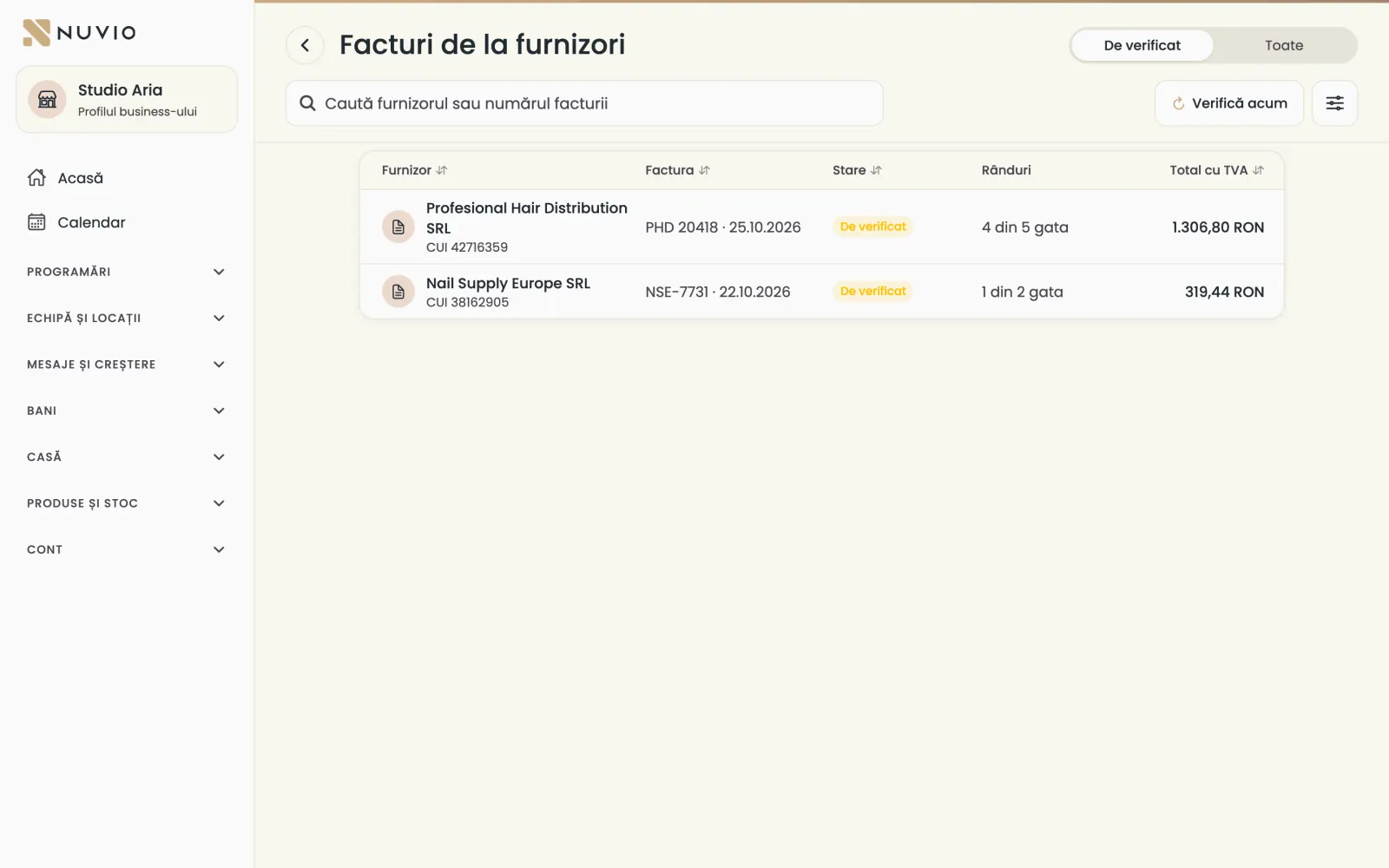
New invoices show under To check; you also see them from Goods in.
Where to find it:Products and stock (Produse și stoc)Goods in (Recepție marfă)Supplier invoices (SPV) (Facturi de la furnizori (SPV))
- Open Goods in (Recepție marfă) and tap Supplier invoices (SPV) (Facturi de la furnizori (SPV)).
- Under To check (De verificat) you see the new invoices, with how many lines are ready.
- With Check now (Verifică acum) you bring in new invoices from SPV right away.
Nuvio checks SPV on its own every hour.
Check the invoice
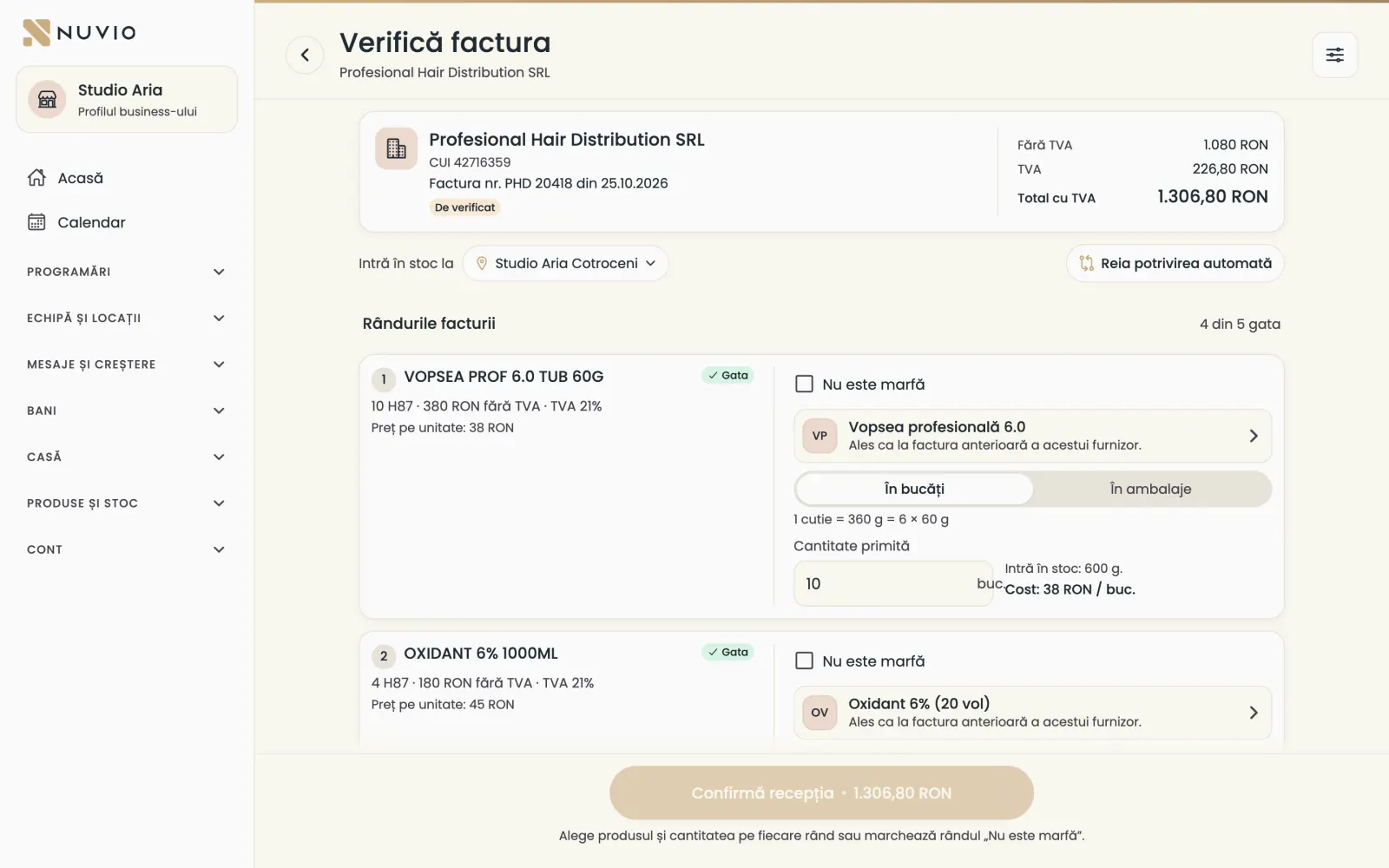
For each line, choose the product and the quantity received, or say it isn't goods.
- Open the invoice from To check (De verificat).
- Check the location under Goes into stock at (Intră în stoc la).
- On each line, check the suggested product or choose another.
- Type the quantity In pieces (În bucăți) or In supplier packs (În ambalaje).
- For transport or fees, tap Not goods (Nu este marfă).
Nuvio suggests the product from the supplier's earlier invoices and from the name; you confirm each line.
If the product doesn't exist, a manager creates it from the line, with Create the product (Creează produsul).
Put the invoice into stock
When every line is ready, you confirm and Nuvio makes the NIR with the invoice's number and date.
- Check that every line is ready.
- Tap Confirm the receipt (Confirmă recepția).
- Ignore the invoice (Ignoră factura)
- The invoice doesn't go into stock and stays only under All (Toate).
- This supplier sells no goods (Furnizorul nu vinde marfă)
- Invoices from this supplier, for example the rent, skip To check.
Nuvio learns from each confirmed invoice, so the next ones come better matched.
Updated on
Help
If the answer is not here, write to us on WhatsApp or by e-mail.