
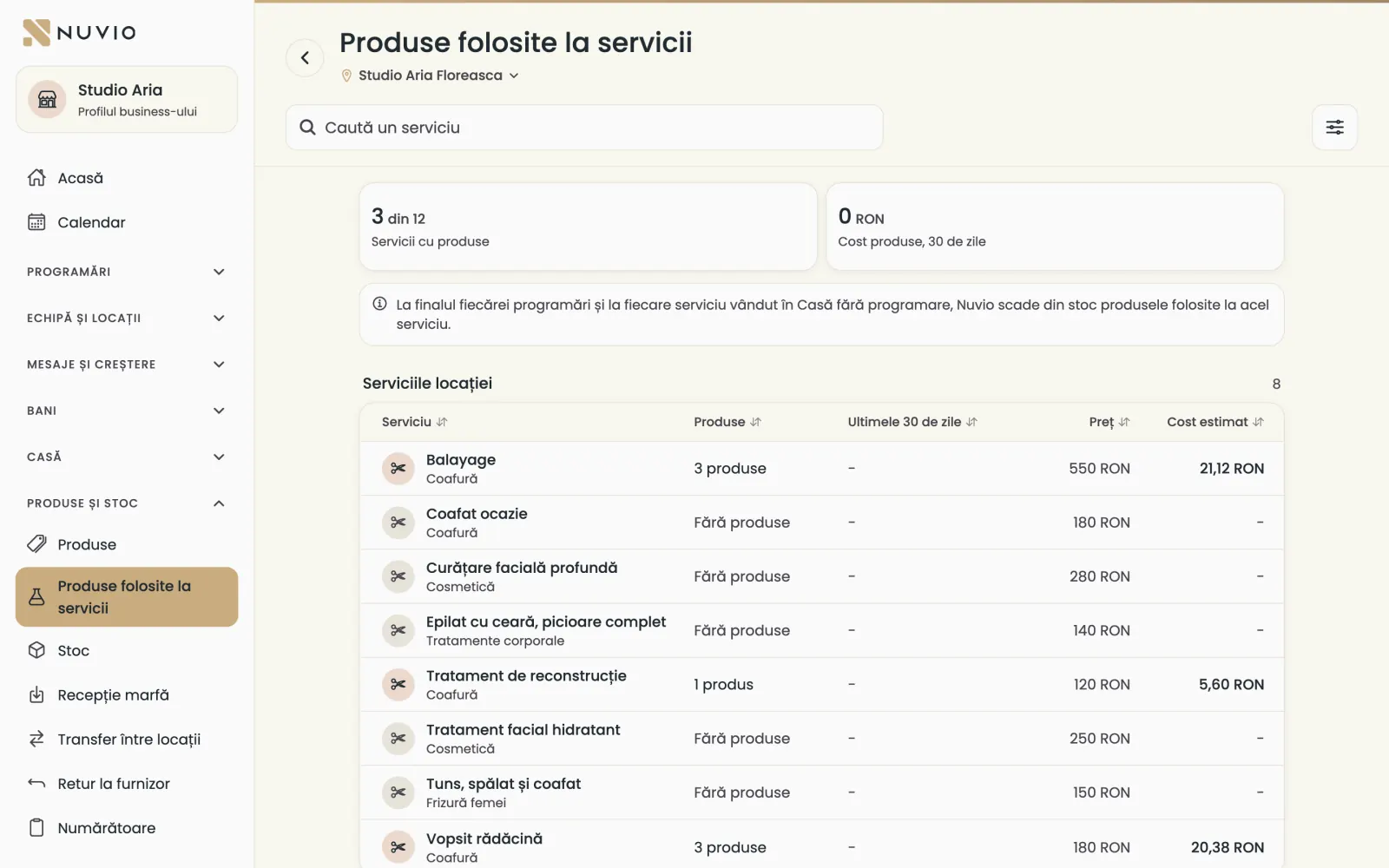
Products used in services
Say which products each service uses, and Nuvio takes them out of stock on its own after each booking.
The app screens shown here are in Romanian; each button's Romanian name follows it in brackets.
A service's products
Choose the products and the quantity a service uses, for example 45 g of colour and 60 ml of developer.
Where to find it:Products and stock (Produse și stoc)Products used in services (Produse folosite la servicii)
- Open Products used in services (Produse folosite la servicii) and choose the location.
- Tap the service.
- Tap Add a product (Adaugă un produs) and choose the product.
- Type the quantity used, in grams, millilitres or pieces.
- Tap Save the products (Salvează produsele).
You also see the Estimated cost per service (Cost estimat pe serviciu), from the products' receiving price.
With the Without products (Fără produse) filter you see the services that have no products yet.
How they leave stock
At the end of each booking, Nuvio takes the service's products out of stock.
A service sold on the till without a booking takes its products at the sale.
A cancelled booking or a no-show puts the products back into stock.
At the end of the month, the consumption goes into the consumption note, under Documents.
From when
Products are taken only for bookings after Nuvio POS started at the location.
If you add products to a service later, past bookings are not recalculated.
If you change the quantities, they apply only from now on.
Updated on
Help
If the answer is not here, write to us on WhatsApp or by e-mail.