
Reminders, WhatsApp and notifications
Reminders for clients, their confirmation and the notifications you get yourself.
The app screens shown here are in Romanian; each button's Romanian name follows it in brackets.
Reminders for clients, on WhatsApp and in the app
The client gets a reminder before the appointment, on WhatsApp or in the app, so they forget less often.
Where to find it:Settings (Setări)Notifications and messages (Notificări și mesaje)
- Open Settings and tap Notifications and messages (Notificări și mesaje).
- Scroll to the messages to your clients.
- Tick Send a reminder before the appointment (Trimite un memento înainte de programare).
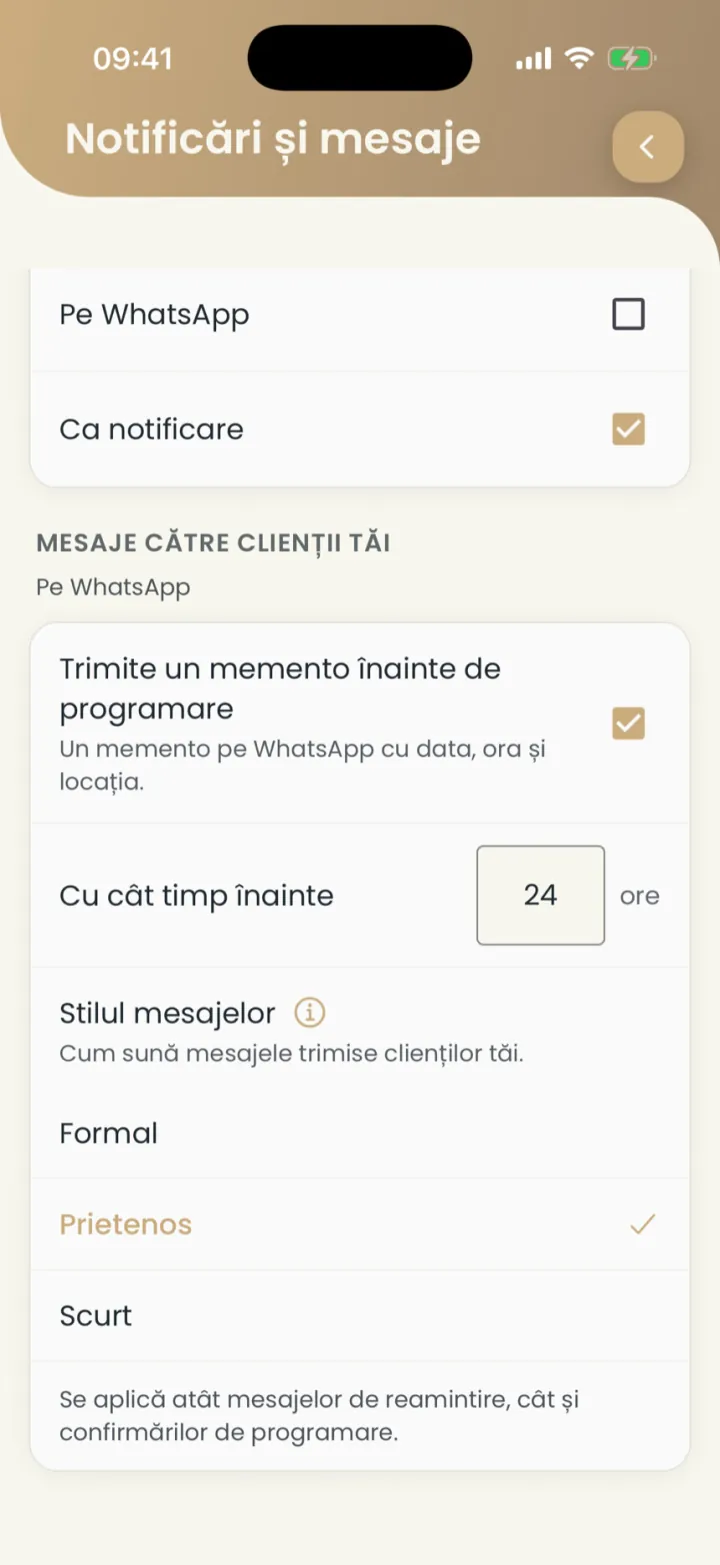
- With the Nuvio app
- Clients with the app get the reminder as a notification, on every plan.
- On WhatsApp
- Other clients get it on WhatsApp, with the Premium plan.
When the reminder goes out
By default 24 hours before, but you can pick another number of hours.
Where to find it:Settings (Setări)Notifications and messages (Notificări și mesaje)How long before (Cu cât timp înainte)
- Under the reminder, at How long before (Cu cât timp înainte), type the number of hours.
How messages sound
You pick a formal, friendly or short style for messages to clients.
Where to find it:Settings (Setări)Notifications and messages (Notificări și mesaje)Message style (Stilul mesajelor)
- At Message style (Stilul mesajelor) pick Formal, Friendly (Prietenos) or Short (Scurt).
The style applies to reminders and to booking confirmations.
The client confirms they are coming
The client answers the reminder, and the appointment shows whether they are coming.
- Coming (Vine)
- The client confirmed from the reminder.
- No answer (Nu a răspuns)
- The client has not answered the reminder message yet.
You can call those who did not answer straight from the appointment, with Call (Sună).
Notifications for you
You choose when Nuvio tells you: on new bookings, before appointments, in the evening and on reviews.
Where to find it:Settings (Setări)Notifications and messages (Notificări și mesaje)
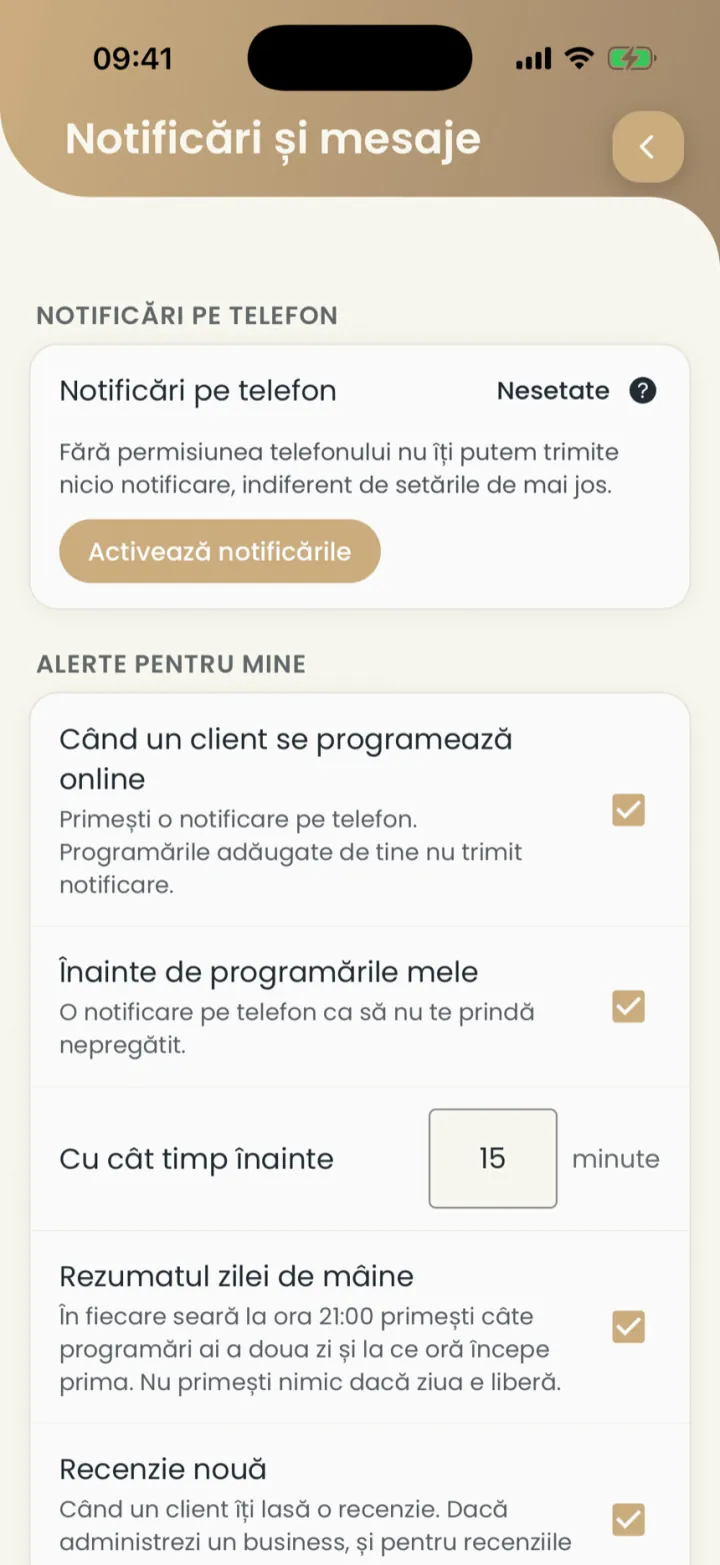
- Phone notifications (Notificări pe telefon)
- If it says not set, tap Enable notifications (Activează notificările). Without permission you get nothing.
- When a client books online (Când un client se programează online)
- A notification for every online booking. The ones you add yourself send none.
- Before my own appointments (Înainte de programările mele)
- A notification a few minutes before each appointment, as many as you choose.
- Tomorrow's summary (Rezumatul zilei de mâine)
- In the evening, at 21:00, how many appointments you have the next day and when the first one starts.
- New review (Recenzie nouă)
- When a client leaves you a review.
Tips and offers from Nuvio
You choose on which channels you get tips and offers from Nuvio.
Where to find it:Settings (Setări)Notifications and messages (Notificări și mesaje)
- In Notifications and messages (Notificări și mesaje) scroll to the tips and offers from Nuvio.
- Tick or untick By e-mail (Pe e-mail), On WhatsApp (Pe WhatsApp) and As a notification (Ca notificare).
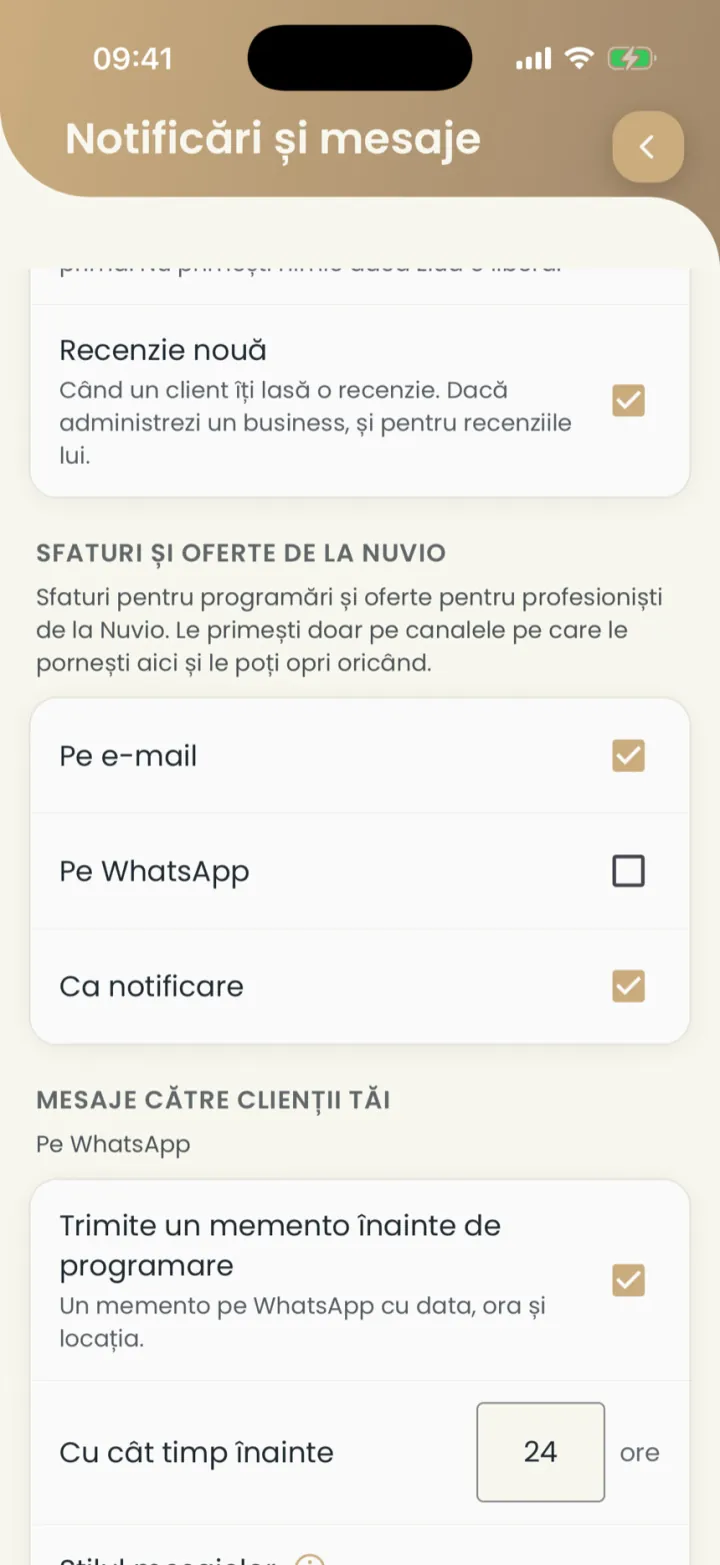
Messages about your bookings and your account arrive in any case.
Reminders by SMS
A business can send reminders by SMS from one of its own Android phones.
Everything about it is in The SMS phone.
Updated on
Help
If the answer is not here, write to us on WhatsApp or by e-mail.