
Work schedule
The days and hours you work, breaks, days off and holidays.
The app screens shown here are in Romanian; each button's Romanian name follows it in brackets.
Working days and hours
Clients only see the hours of your schedule, and you can book anyone at any time.
Where to find it:Settings (Setări)Work schedule (Program de lucru)
- Open Settings and tap Work schedule (Program de lucru).
- Turn each day on or off with its switch.
- Tap the start or end time to change it.
- Tap Save schedule (Salvează programul).
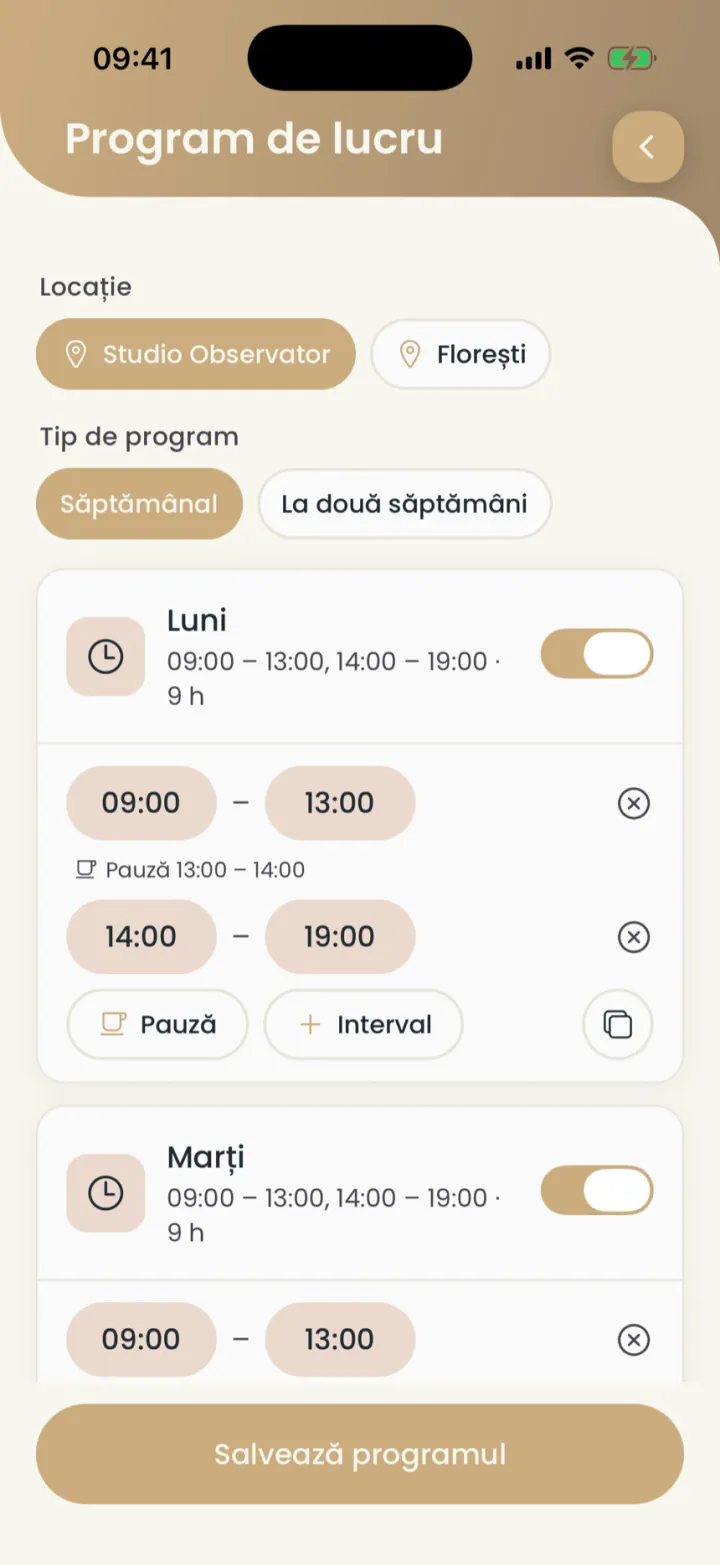
- Location (Locație)
- Schedule type (Tip de program)
- The day on or off
A day can have several intervals, for example 09:00-13:00 and 14:00-19:00. You add one with Interval.
Breaks
You put a break in the day, for example for lunch, so nobody can book then.
Where to find it:Settings (Setări)Work schedule (Program de lucru)Break (Pauză)
- On the day you want, tap Break (Pauză).
- Pick the start and end time of the break.
- Tap Save schedule (Salvează programul).
For a break on one day only, use Block time.
A two-week schedule
For hours that change from one week to the next.
Where to find it:Settings (Setări)Work schedule (Program de lucru)Every two weeks (La două săptămâni)
- At Schedule type (Tip de program) pick Every two weeks (La două săptămâni).
- Set the days and hours for Week 1 (Săptămâna 1).
- Set the days and hours for Week 2 (Săptămâna 2).
- Tap Save schedule (Salvează programul).
The two weeks repeat one after the other.
A day off or other hours on one day
You change the hours of a single day from the calendar, without touching your weekly schedule.
Where to find it:CalendarDay schedule (Programul zilei)
- In Calendar touch and hold the day in the strip of days at the top.
- Day schedule (Programul zilei) opens.
- Turn off I work this day (Lucrez în această zi) for a day off, or change the hours.
- Tap Save day (Salvează ziua).
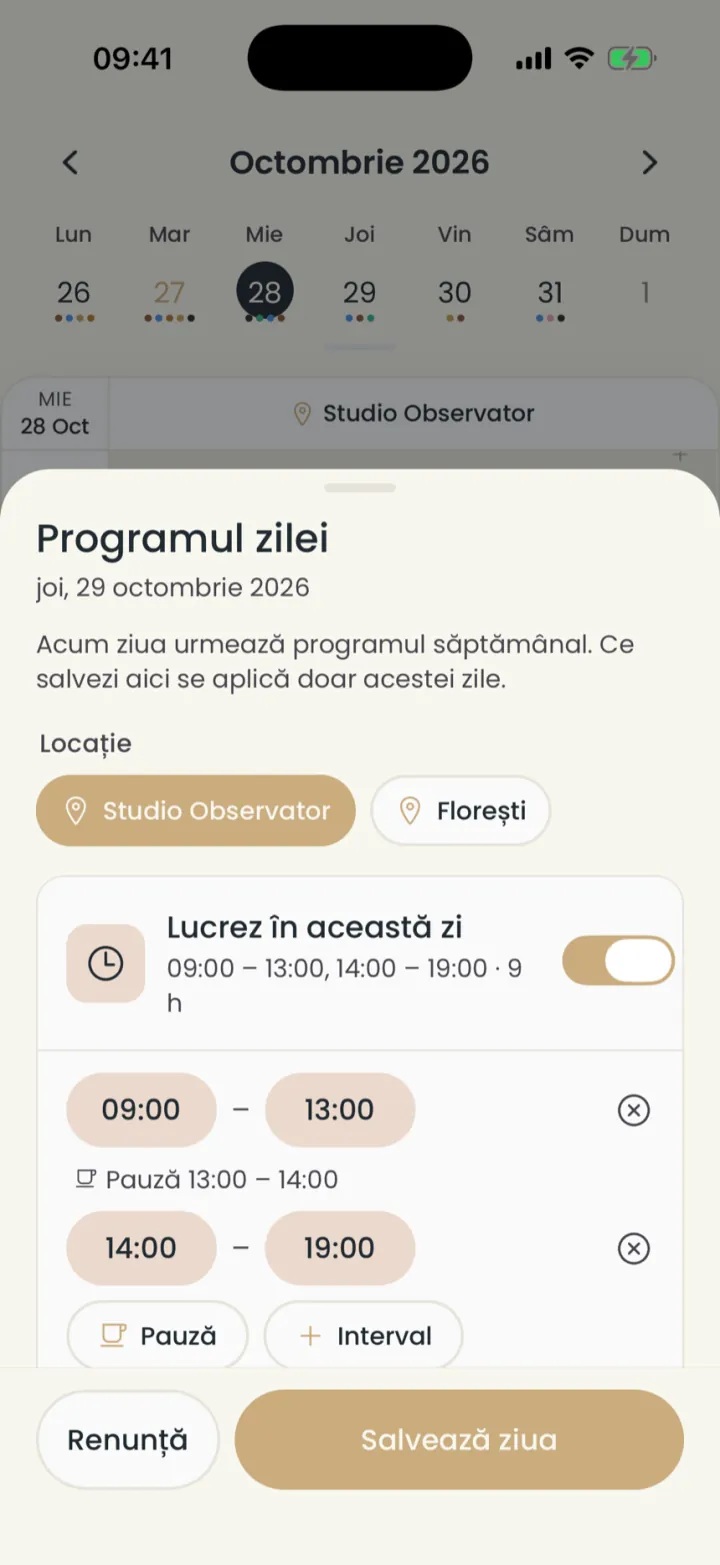
To go back to your usual hours, open the day again and tap Back to the weekly schedule (Revino la programul săptămânal).
Holidays
You mark your holiday days as off, so nobody can book them.
- In Calendar touch and hold the first day of your holiday.
- Turn off I work this day (Lucrez în această zi) and tap Save day (Salvează ziua).
- Do the same for every day of your holiday.
Different hours at each location
If you work at several locations, each has its own hours.
Where to find it:Settings (Setări)Work schedule (Program de lucru)Location (Locație)
- Open Work schedule (Program de lucru).
- At the top, under Location (Locație), pick the location.
- Set its days and hours and tap Save schedule (Salvează programul).
- Pick the next location and do the same.
Do not put the same hours at two locations. A client would see the time as free at both.
Updated on
Help
If the answer is not here, write to us on WhatsApp or by e-mail.