
Gift cards
You sell gift cards, the client gives them to someone and they are used at the appointment.
The app screens shown here are in Romanian; each button's Romanian name follows it in brackets.
Sell gift cards on your page
Clients buy gift cards online, on your page, and use them with you.
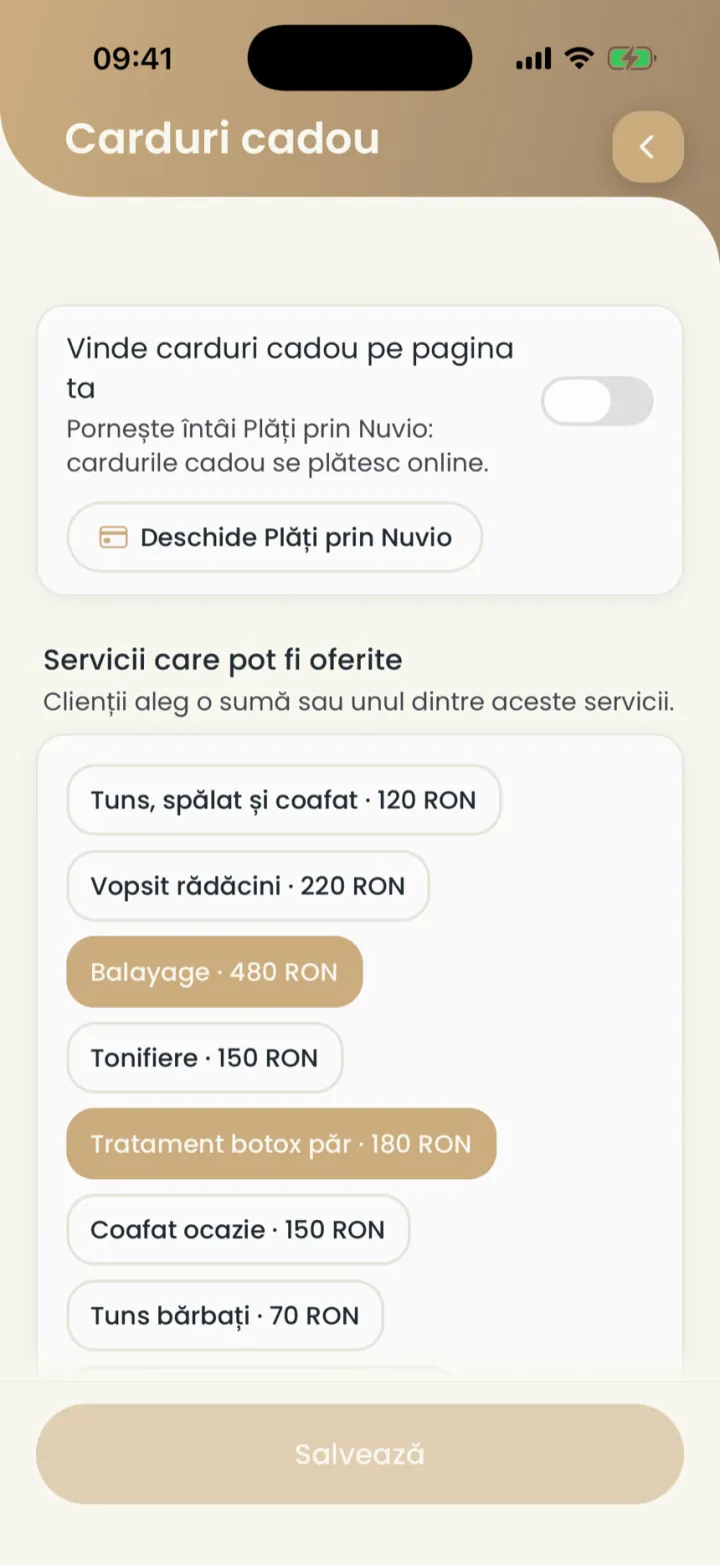
Where to find it:Settings (Setări)Gift cards (Carduri cadou)
- First turn on Payments through Nuvio: gift cards are paid online.
- Open Settings and tap Gift cards (Carduri cadou).
- Turn on Sell gift cards on your page (Vinde carduri cadou pe pagina ta).
- Under Services that can be given (Servicii care pot fi oferite) pick the services.
- Tap Save (Salvează).
Your page gets a Gift card (Card cadou) button, next to the call and message buttons.
What the client buys
An amount between 50 and 2,000 RON or a service, valid for 12 months.
- Amount or service
- An amount in RON or one of the services you chose.
- For whom
- For themselves or for someone else, with a message and a theme.
- Validity
- 12 months from purchase.
Give a gift card yourself
From the client card you give them a card, for free, on any plan.
Where to find it:Settings (Setări)Clients (Clienți)Give a gift card (Oferă card cadou)
- Open the client card.
- Tap Give a gift card (Oferă card cadou).
- Pick the amount or the service and send the card.
Cards you give are not paid for and are not counted as income.
The client uses the card
The client picks the card when booking, and you confirm the payment with it at the visit.
- The appointment shows that the client pays with the gift card.
- After the visit tap Confirm the card payment (Confirmă plata cu cardul).
- If they did not use it, tap Did not use the card (Nu a folosit cardul).
The amount comes off the card, and the rest stays for the next visit.
The card list and cancelling
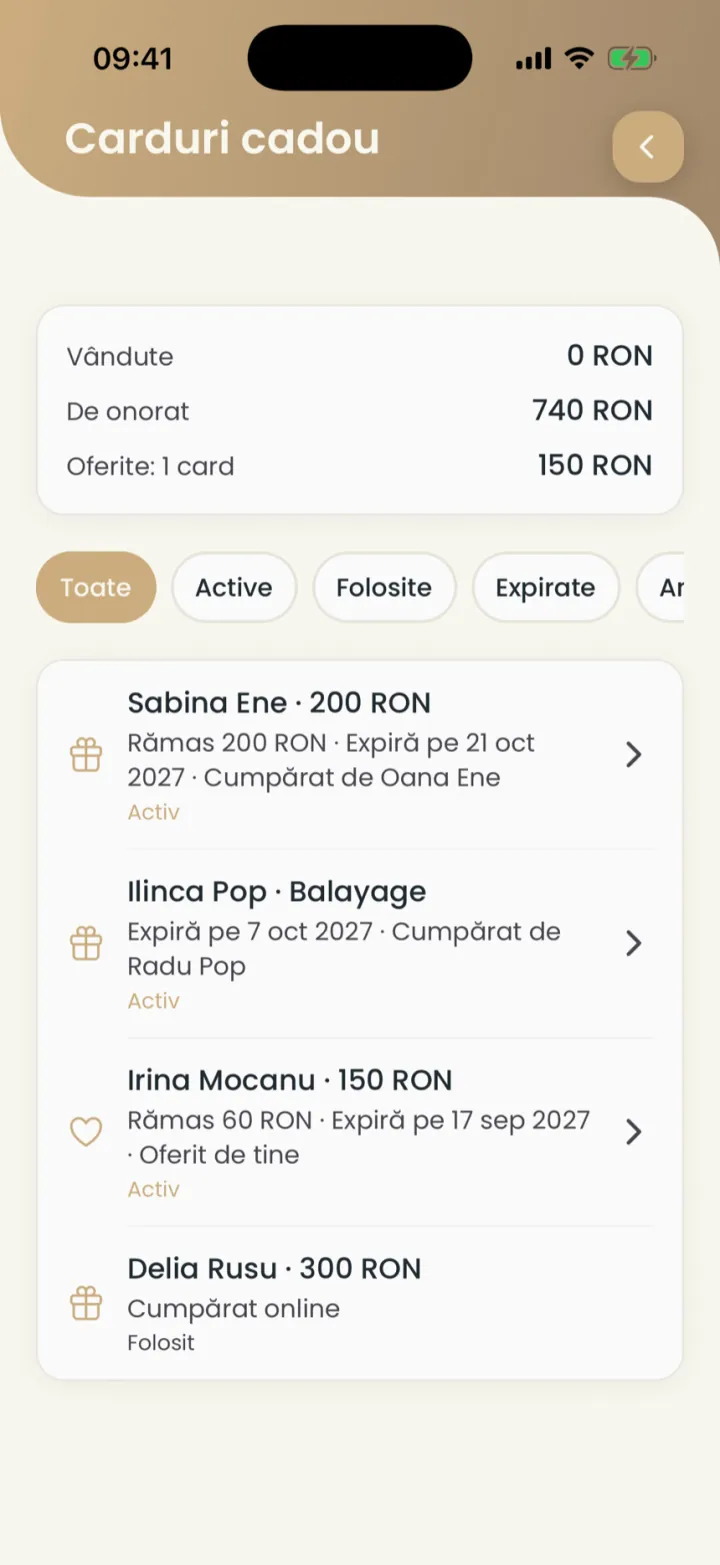
You see the cards sold, still to honour and given, and cancel a card when needed.
Where to find it:Settings (Setări)Gift cards (Carduri cadou)Your gift cards (Cardurile tale cadou)
- In Gift cards (Carduri cadou) open Your gift cards (Cardurile tale cadou).
- Filter by Active (Activ), Used (Folosite), Expired (Expirat) or Given (Oferite).
- Tap a card and tap Cancel the card (Anulează cardul) to cancel it.
- Unused card
- The client gets all the money back automatically.
- Partly used card
- The rest on the card is lost. If you want to give money back, refund it from the card's payment.
- Card you gave
- Nothing is refunded.
Cards from Bring a friend
A client who recommends a new friend gets a gift card.
The details are in Bring a friend.
Updated on
Help
If the answer is not here, write to us on WhatsApp or by e-mail.